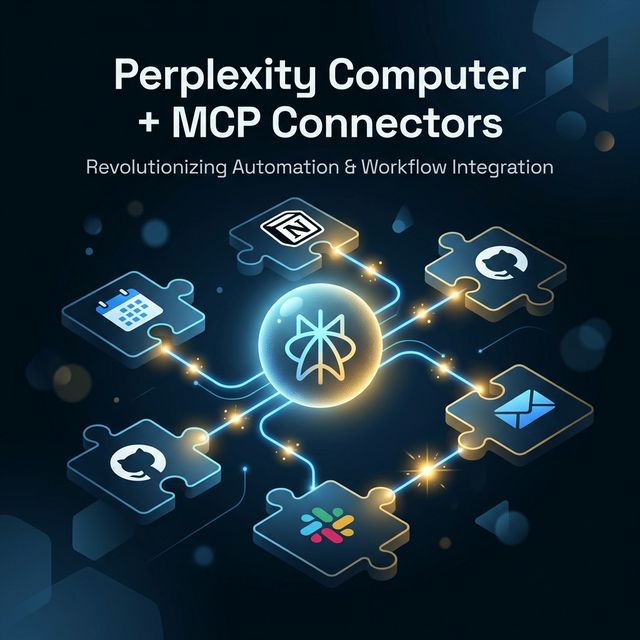
Perplexity Computer + MCP Connectors: Cách Xây Dựng AI Workflows Lặp Lại Được Với Custom Skills
Perplexity Computer kết hợp với Model Context Protocol (MCP) connectors mở ra cách tự động hóa các workflows phức tạp: kết nối CRM, Notion, GitHub, Slack vào một AI agent duy nhất. Bài này hướng dẫn từng bước xây dựng custom MCP connector và tạo workflow lặp lại được cho team.
Perplexity Computer + MCP — Bức Tranh Lớn
Perplexity Computer không phải chỉ là một AI chat app khác. Nó được thiết kế như một autonomous AI agent có khả năng thực hiện multi-step tasks từ đầu đến cuối — với memory, file access, web access, và quan trọng nhất: connectors tới external tools.
Điểm thay đổi game là Model Context Protocol (MCP) custom connectors — cho phép bạn nối Perplexity Computer vào hầu như bất kỳ internal system nào.
Perplexity Computer Là Gì? (Chính Xác)
Perplexity Computer là tính năng dành cho Pro, Max và Enterprise subscribers. Nó cung cấp:
- Persistent memory — nhớ context qua nhiều sessions
- File access — đọc/ghi file trong workspace
- Web access — search và read real-time
- Prebuilt skills — calendar, email, task management
- Prebuilt connectors — Calendar, Notion, Linear, GitHub (verified)
- Custom MCP connectors — kết nối bất kỳ internal tool nào qua MCP protocol
MCP Connectors — Sự Khác Biệt Quan Trọng
Có hai loại connectors cần phân biệt rõ:
Prebuilt Connectors
Connector được Perplexity xây sẵn cho các popular tools:
- Google Calendar, Notion, Linear, GitHub, Slack, email
→ Setup đơn giản, authorize là dùng được. Không cần code.
Custom MCP Connectors
Bạn tự xây MCP server endpoint → expose nó → Perplexity Computer kết nối vào.
→ Cần code, nhưng kết nối được với bất kỳ internal API nào.
Usecase của custom connectors:
- Internal CRM không có prebuilt connector
- Proprietary database
- Custom analytics pipeline
- Internal ticketing system
Cách MCP Hoạt Động
MCP (Model Context Protocol) là open standard — thường được ví như "USB-C cho AI". Nó standardize cách AI models interact với external systems.
Conceptual model:
User Prompt
    ↓
Perplexity Computer (AI Brain)
    ↓
Intent Detection: "Cần data từ CRM"
    ↓
MCP Protocol Call → CRM MCP Server
    ↓
CRM Server → Query → Return Data
    ↓
Perplexity processes + responds
Security options:
- OAuth 2.0 — cho user-facing tools (GitHub, Calendar)
- API Key — cho internal services
- Service Account — cho enterprise setups
Example Workflow End-to-End: Weekly Pipeline Summary
Đây là workflow thực tế: Tạo báo cáo pipeline hàng tuần từ CRM + post lên Slack.
Bình thường (manual):
- Mở CRM → filter deals → export CSV → 15 phút
- Tổng hợp numbers trong Excel → 20 phút
- Viết summary → 10 phút
- Copy paste vào Slack → 5 phút → 50 phút/tuần
Với Perplexity Computer + MCP:
Prompt: "Generate this week's pipeline report:
- Get deals from CRM closing this month
- Calculate total pipeline value and by stage
- Compare to last week
- Post summary to #sales-updates Slack channel"
→ 2 phút (prompt + review + approve)
Implementation: Xây Dựng Custom MCP Connector
Step 1: Stand Up MCP Server Endpoint
MCP server là một HTTP server expose các "tools" cho AI agent. Đây là structure cơ bản với Python:
# mcp_server/crm_connector.py
from mcp import MCPServer, Tool, ToolResult
from pydantic import BaseModel

class DealFilter(BaseModel):
    stage: str | None = None
    closing_this_month: bool = False
    min_value: float | None = None

class CRMConnector(MCPServer):
    name = "crm-connector"
    description = "Access internal CRM deals and pipeline data"

    @Tool(
        name="get_deals",
        description="Get deals from CRM with optional filters",
        input_schema=DealFilter
    )
    async def get_deals(self, params: DealFilter) -> ToolResult:
        # Kết nối tới CRM API
        deals = await self.crm_client.fetch_deals(
            stage=params.stage,
            closing_this_month=params.closing_this_month,
            min_value=params.min_value
        )
        return ToolResult(content=deals)

    @Tool(
        name="get_pipeline_summary",
        description="Get aggregated pipeline metrics by stage"
    )
    async def get_pipeline_summary(self) -> ToolResult:
        summary = await self.crm_client.get_pipeline_metrics()
        return ToolResult(content=summary)

# Run server
if __name__ == "__main__":
    server = CRMConnector()
    server.run(host="0.0.0.0", port=8080)
Step 2: Define Schemas + Actions
Tốt nhất là một action = một responsibility rõ ràng. Không nên tạo "do_everything" tool.
# Các tools cần có cho workflow example:
tools = [
    "get_deals",           # Fetch deals với filters
    "get_pipeline_summary", # Aggregate metrics
    "compare_to_period",   # So sánh với tuần/tháng trước
    "format_report",       # Format output
]

# Mỗi tool có:
# - name: snake_case, mô tả function
# - description: AI dùng cái này để biết khi nào gọi tool
# - input_schema: Pydantic model validate input
# - output: ToolResult với content là JSON/text
Step 3: Deploy và Test
# Local dev
uvicorn mcp_server.crm_connector:app --port 8080

# Test tool call
curl -X POST http://localhost:8080/tools/call \
  -H "Content-Type: application/json" \
  -d '{"tool": "get_deals", "params": {"closing_this_month": true}}'

# Expose public endpoint (ngrok cho dev, deployment cho prod)
ngrok http 8080
Step 4: Connect Tới Perplexity Computer
Trong Perplexity Settings → Connectors → Add Custom Connector:
{
  "name": "Internal CRM",
  "description": "Access company CRM for pipeline data",
  "endpoint": "https://your-mcp-server.company.com",
  "auth": {
    "type": "api_key",
    "header": "X-API-Key"
  }
}
Operational Considerations
Permissions & Audit Logs
# Implement request logging trong MCP server
@middleware
async def audit_log(request, call_next):
    log_entry = {
        "timestamp": datetime.utcnow().isoformat(),
        "tool": request.path,
        "user": request.headers.get("X-User-ID"),
        "params": await request.json(),
        "ip": request.client.host
    }
    await audit_logger.log(log_entry)
    response = await call_next(request)
    return response
Data Retention & Privacy
- Không log sensitive data (deal values, customer names) trong plain text
- Mask PII trong audit logs
- Set expiry cho cached results (CRM data stale sau bao lâu?)
- GDPR/SOC2 consideration: Data flow từ internal CRM qua Perplexity — review data processing agreement
Rate Limits & Monitoring
# Rate limit per connector
from slowapi import Limiter

limiter = Limiter(key_func=get_remote_address)

@app.route("/tools/call")
@limiter.limit("100/minute")  # Điều chỉnh theo capacity
async def handle_tool_call(request):
    ...
Ai Nên Dùng Ngay? Ai Nên Chờ?
✅ Good Fit — Triển Khai Ngay
- Team đã có internal APIs ổn định (CRM, ERP, analytics)
- Recurring reports mất nhiều thời gian manual hiện tại
- Ops/marketing teams muốn tự động hóa mà không cần học code
- Đã dùng Perplexity Pro/Max/Enterprise
⏳ Chờ Thêm — Nếu
- Internal APIs chưa stable (breaking changes thường xuyên → MCP server sẽ break)
- Data source không rõ ràng — "AI sẽ lấy data từ đâu?" chưa có câu trả lời
- Compliance chưa clear — data của bạn có thể send ra external service không?
- Team chưa có người maintain MCP server
Template Prompt Cho Workflow Lặp Lại
Đây là template cho weekly pipeline report workflow:
[WEEKLY PIPELINE REPORT - TEMPLATE]

Please generate this week's pipeline report:

Data to pull:
- All deals in CRM with closing_date THIS month
- Group by: stage (Prospecting / Qualified / Proposal / Negotiation / Closed Won)
- Include: deal name, value, owner, last activity date

Metrics to calculate:
- Total pipeline value
- Value by stage
- Week-over-week change (compare to same report last Tuesday)
- Deals added this week vs last week

Format:
## Pipeline Summary — Week of [DATE]
... [structured markdown]

Actions after report:
1. Post to #sales-weekly Slack channel
2. Save copy to Notion > Sales > Weekly Reports

Flag any deals with no activity in 14+ days.
Kết Luận
Perplexity Computer + MCP connectors là combination thực sự powerful cho teams muốn tự động hóa workflows cross-tool. Điểm mấu chốt là MCP làm standardized bridge giữa AI và internal systems — không cần build custom AI integration cho mỗi tool.
Investment thực tế: 2-4 giờ để setup một basic MCP server. Sau đó workflow mất 50 phút manual → 2 phút với AI.
CTA: Chọn một recurring internal report và convert nó thành Perplexity Computer workflow với minimal MCP connector. Start với prebuilt connectors (Calendar, Notion, Slack) trước — không cần code. Sau khi thấy giá trị, mới expand sang custom connectors cho internal APIs.