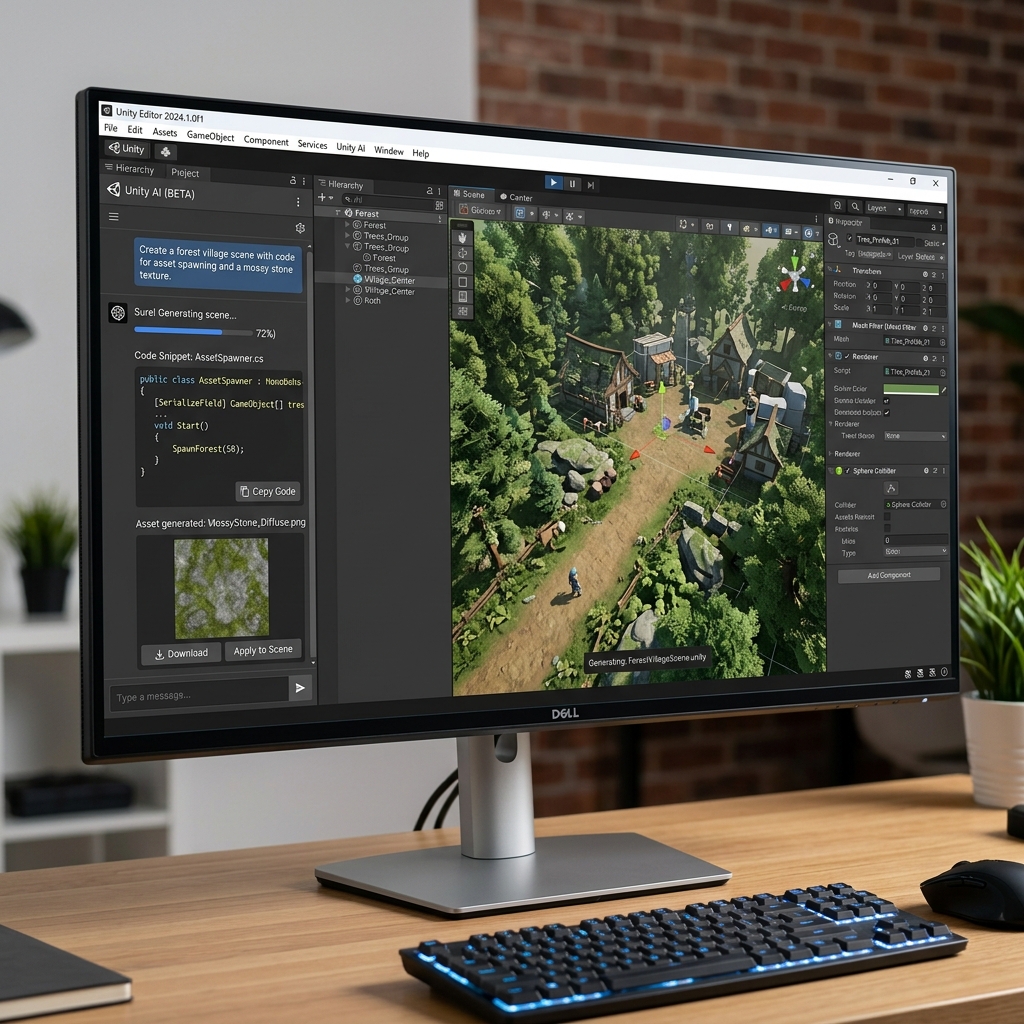
Unity AI - Deep Generative Integration Into Game Development
1. Introduction to Unity AI (The Evolution of Unity Muse)
In 2023, the world's leading game engine launched into the generative space under the umbrella of "Unity Muse." By 2026, the ecosystem has been aggressively overhauled and unified simply as Unity AI—drilled deep into the software as a core module sitting right next to your Inspector panel.
This isn't just a generic LLM (like ChatGPT) asked to write generic code. The Unity AI Assistant is exclusively trained on Unity's proprietary API documentation, its Entity Component System (ECS) architecture, and the latest render pipelines (URP/HDRP).
Core Strengths (USP):
- In-Editor Context Awareness: Did your game just crash, vomiting red errors in the Console? Right-click the error and hit
Ask Unity AI. The assistant scans your specific Unity version (e.g., 2024.3) and your active Prefab hierarchy, pinpointing exactly which script logic collided. - Generative Sprites & Textures: Type "Mossy cobblestone." Unity AI will push a seamless 2048x2048 texture to your screen, complete with Normal and Metallic maps, automatically packaging it inside a Material file stored directly in your Project folder.
- Ethical & Copyright Security: Unity's generative image models are trained exclusively on datasets that Unity owns or has licensed. This liberates developers from the fear of their game being pulled from Steam due to accidental copyright infringement regarding stolen artist styles.
2. Unprecedented Use Cases for Game Developers
- High-Speed Prototyping (Solo Indies): A solo-dev with zero 2D art skills wants to build a Platformer game. Instead of hunting through asset stores to buy mismatched packs, they open the Sprite Generator, prompt an ice block, a shuriken, and a pixel-art background. They have a playable visual slice in 2 hours.
- Defeating Technical Debt: You join a large studio and inherit a 1,000-line monolithic C# script left behind by an employee who quit. Ask Unity AI to ingest the file and sequentially inject code comments explaining exactly what each block does line-by-line.
- Behavior Generation (NPC Logic): Want a guard NPC to chase the player? Use the conversational UI to say, "Create a patrol behavior tree for a guard; when they spot the player tag, rush them." Unity AI will instantly drop the required
NavMeshintegration and Finite State Machine (FSM) files into your project.
3. Basic Usage Guide
Operating this tool feels as natural as using any standard Unity component tab:
- Ensure you are running a modern Unity version (2023 LTS or higher is heavily recommended).
- Download the Unity AI package via the
Package Manager. - Navigate to Window > AI > Unity Assistant. It will dock neatly into your Editor layout, usually beside the Hierarchy.
- Chat & Code Generation: Enter a prompt: "Write a script to constantly rotate a Cube 90 degrees on the Y-axis using Time.deltaTime."
- The generated C# code appears in an actionable block. You can hit
Previewto see how it might interact with your Scene, or hitInsertto instantly generate and attach the.csfile to your selected GameObject. - Texture Panel: When generating materials, the AI provides an image preview. Press
Applyand the engine automatically attempts to wrap the generated material onto the 3D mesh you currently have selected.
4. Best Practices
- Provide Context Limits: Do not vaguely ask the AI, "Fix my player speed." It will hallucinate wildly. Highlight your specific
PlayerMovement.csfile, highlight the red Console error, and then prompt:How to fix this issue considering the attached script?. Anchoring the AI with attached script context ensures 99% accuracy. - Audit AI-Generated Code: AI models have a notoriously bad habit of causing memory allocation garbage (like running heavy operations inside the
Update()loop). After it generates a script, follow up by asking: "Optimize this code so it doesn't cause frame drops on Mobile devices." - Experiment with Animation: Don't ignore the newer IK (Inverse Kinematics) and animation probing features. Asking the AI to "Generate parameters for an injured left-leg limp" can yield surprisingly accurate vector logic that you can plug into your Animator Controller.
5. Pricing and Tiers (2026)
Unity's monetization model has shifted significantly since the chaotic events of late 2023, and AI is now a highly monetized, polished add-on.
| Tier | Estimated Cost (Per Seat/Month) | AI Platform Access |
|---|---|---|
| Unity Personal | Free (Revenue <$200k) | Heavily restricted. Imposes strict "Rate Limiting," meaning you can only ask the AI assistant a handful of basic coding questions a month. Precludes infinite cloud asset generation. |
| Unity Pro | ~ $180 - $200 / month | (Combined cost of Pro seat + AI Add-on). Unlocks aggressive, high-volume code generation and deep organizational module integration. The visual generative features draw from an elevated cloud-server quota. |
| Unity Enterprise | Custom Enterprise SLA | Aimed at AAA Studios. Grants authorization to train incredibly powerful private AI models (via RAG architecture) on the studio's proprietary, secretive internal documentation base. |
6. Conclusion
The sheer intimidation factor of programming in C# is a ghost that has crushed the dreams of millions of talented 3D artists. Unity AI deals a critical blow to that barrier.
- Pros: Its understanding of the localized Unity ecosystem (Prefabs, Scene logic, NavMesh, URP) is absolutely unrivaled by generic web chatbots. The ironclad legal safety of the graphics generation model provides massive peace of mind for commercial releases.
- Cons: Bundling the cost into the expensive Pro tiers creates a formidable financial barrier for highly active indie teams. Cloud server congestion can occasionally cause generation delays during peak western hours.
Level up your game dev: Open the Unity Hub and hit the Package Manager!