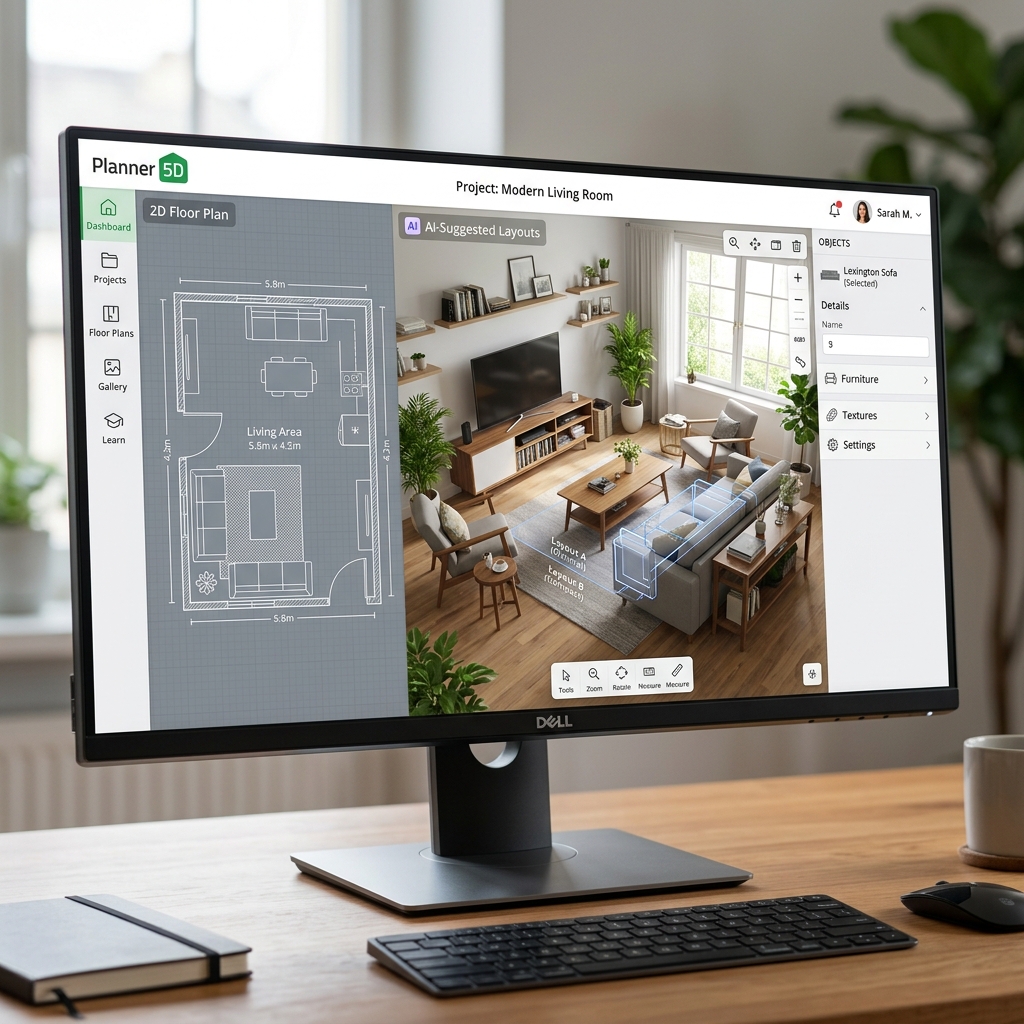
Planner 5D AI - Transforming 2D Floor Plans into 3D Reality
1. Introduction to Planner 5D
If you aren't a licensed architect who spent 4 years mastering AutoCAD or 3Ds Max, but you desperately want to visualize the layout of an apartment you're about to buy—Planner 5D is exactly the tool you need.
Originally a simple drag-and-drop furniture software, Planner 5D in 2026 has been utterly transformed by deep AI integration. It effectively bridges the gap between an amateur's desire for beautiful home design and the execution capabilities of a professional 3D rendering engineer.
Core Strengths (USP):
- AI Floor Plan Recognition: The most powerful feature. Take a photo of a flat, 2D paper blueprint handed to you by a real estate agent. Upload it, and the AI analyzes the walls and windows, automatically raising them into 3D geometry in under 5 seconds.
- Cross-Platform Supremacy: Runs flawlessly via Web Browser, but also features incredibly robust native apps for iOS, iPadOS (supporting Apple Pencil), and Android.
- Smart Designer: Click a single button, and the AI assesses the room type (e.g., a "Small Bedroom"). It automatically drops in a curated bed, wardrobe, rug, and curtains matching a "Minimalist Scandinavian" style right into optimal feng shui positions.
2. Core Features and Practical Use Cases
The software perfectly captures both the DIY "Home Renovation" crowd and professional Real Estate Agents (Realtors).
- Personal Home Movers: Draw out your exact room dimensions down to the centimeter. Drop in a 3D model of that new IKEA sofa to ensure it doesn't block the balcony door. Swap out the wall paint from beige to sage green to see how it feels before spending money at the hardware store.
- Real Estate Agents: A home buyer is hesitating because the empty, concrete shell of a room feels inherently tiny. Pull out your iPad, let the AI generate a stunning 3D visualization filled with warm walnut furniture, and instantly sell the client on the "future vision" of a cozy home.
- Small-Scale Contractors: Send the homeowner a 360-degree VR panorama link. Let them walk around the virtual living room to finalize the layout approvals before any actual woodwork begins.
3. Basic Usage Guide
- Go to planner5d.com or download the app on your iPad.
- On the Dashboard, choose "Start from Scratch" or "Upload Plan" (the icon with the AI stars).
- If you chose Upload Plan:
- Upload the JPG image of your floor plan. Wait for the AI loading circle.
- Boom! The AI returns a clean, editable 2D grid with the structural walls already traced out.
- Enter 3D Space: Toggle the view switch from
2D -> 3Don the screen. The flat lines instantly rise into solid walls. - The Catalog: The library contains over 10,000+ items (Sofas, Windows, Light switches, Chandeliers, Plants). Drag and drop items directly into the room. Use your mouse/finger to rotate the camera in full 3D space.
- When finished, click the Camera icon (Render). Planner 5D's cloud servers apply ray-tracing technology to simulate the 4:00 PM sun shining through the window, returning an HD, photorealistic image that looks like an actual architectural photograph.
4. Best Practices
- Avoid Lighting Clutter: When preparing to render a still image, do not turn on all 10 ceiling lights at once—the image will blow out and look artificial. Let natural sunlight cascading through the window do 80% of the work, and only toggle 'Light Effects' on a single focal source (like a desk lamp).
- Abuse the AI Smart Wizard: If you are staring at a 20-square-meter empty box and don't know where to start, click the
AI Smart Wizard. Select the room type (Kids Room) -> select the color palette (Pastel). You don't have to drag anything; the AI will fully furnish a dream room in 1 click. Then, adjusting and moving existing items is exponentially faster than starting from zero. - Interactive AR on Mobile: If you use the iOS app on a device equipped with a LiDAR scanner, tap the AR feature. It will project the 3D room you just designed directly onto your real physical living room floor, allowing you to walk around the virtual sofa to genuinely feel if the scale is too bulky!
5. Pricing and Tiers (2026)
The Freemium model encourages users to experience a very generous trial period before hitting the paywall.
| Plan | Estimated Cost | Features (Closing the loop) |
|---|---|---|
| Free | $0 | Build 2D and 3D spaces indefinitely. However, you are restricted to roughly 150 basic, outdated items in the catalog. You CANNOT export high-quality photorealistic renders. |
| Premium | ~ $59.99 / year | Unlocks the entire 10,000+ item catalog (including branded luxury furniture). Enables the "AI Floor Plan" recognition system. Provides a monthly allotment of HD render tickets. Perfect for amateur homeowners. |
| PRO / Commercial | ~ $399.99 / year | Allows unlimited 4K renders. Unlocks 360-degree VR panorama exports. Generates raw construction "Estimates" to hand to contractors. Grants full Commercial rights to use the renders to charge clients for your design services. |
(Note: Monthly billing options are available but cost significantly more over a 12-month period).
6. Conclusion
Planner 5D isn't going to steal jobs from structural engineers using AutoCAD/SketchUp, but it perfectly fills the massive chasm between "scribbling on paper with a pen" and "spending 40 hours learning bloated 10GB architecture software."
- Pros: The AI Floor Plan image upload system is mind-bogglingly accurate. Exceptional real-time multi-device syncing (stop working on your Macbook, pull out your phone, and continue seamlessly). Cloud-based rendering prevents your laptop from overheating or lagging.
- Cons: The 3D models lack extreme granular customization (you can change the fabric color of a sofa, but you can't morph the physical shape of the armrest). The Free tier forces you to use incredibly ugly, outdated foundational furniture to push you into upgrading.
Draw your future home: Planner 5D