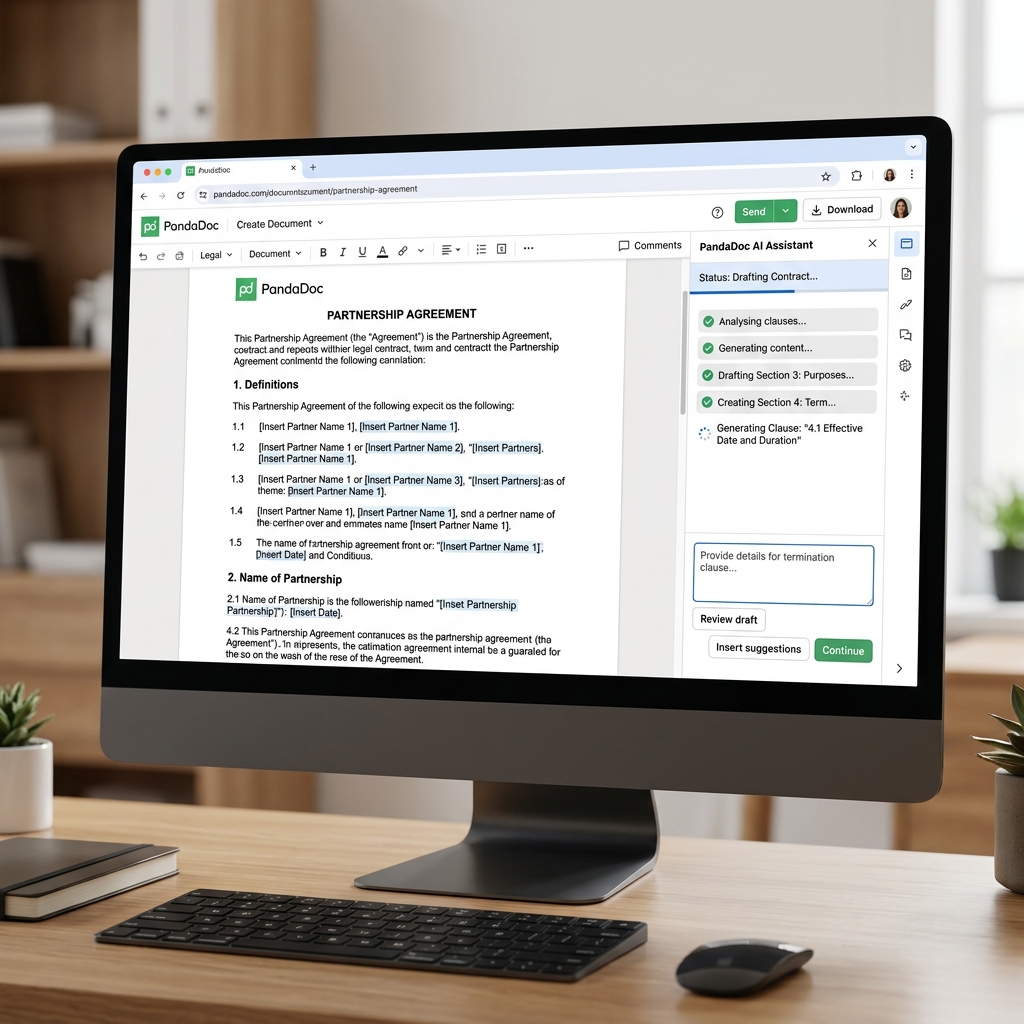
PandaDoc AI - Corporate Legal Governance & Contract Automation
1. Introduction to PandaDoc (Legal AI Workflows)
Drafting complex enterprise contracts and closing B2B deals is rarely glamorous. It is traditionally a minefield of dense legal jargon, copy-paste errors, mismatched figures, and agonizingly slow hierarchical approval bottlenecks.
PandaDoc, historically reigning as a massive player in Document Lifecycle Management and eSignatures (routinely battling DocuSign), has aggressively modernized its core engine by injecting deep Generative Artificial Intelligence (the PandaDoc AI Assistant).
Core Strengths (USP):
- AI Contract Generation: Stop copy-pasting client entity names across 50-page Master Service Agreements. The platform utilizes AI to scan your existing CRM (Salesforce/HubSpot) and inherently generates customized "Smart Content Blocks" perfectly tailored to the active deal.
- Legal Risk Detection: The AI acts as an initial paralegal filter. It scans draft documents and flags contradictory clauses (e.g., detecting if a payment cycle breaches standard jurisdictional compliance or spotting an empty mandatory signature field).
- Model Context Protocol (MCP) Integration: Enables autonomous AI agents to interact directly with the contracting workflow—handling everything from automated variable generation to autonomous routing of approval links directly to the CFO, entirely bypassing human email ping-pong.
2. Essential Use Cases for B2B Enterprises
This ecosystem is strictly built to turbocharge two primary battlefields within large corporations: The Sales Intelligence Division and the Legal Department.
- Lightning CPQ (Configure, Price, Quote): A Sales Rep finishes a discovery call and types instructions into the AI module: "Draft an Enterprise SaaS contract for Acme Corp featuring a 15% discount on Cloud Storage modules." The AI instantly renders an immaculate, legally compliant contract with calculated payment tables and sends it off. The client receives the link and eSigns on their iPhone instantly.
- Behavioral Analytics Tracking: Are you wondering why the client is hesitating to close the deal? PandaDoc's tracking analytics alert the Sales Rep: The client is dwelling heavily on Page 3 (The pricing matrix) for over 10 minutes. This is the exact signal required to pick up the phone and renegotiate rates.
- Automated Legal Approvals: Instead of the Legal team reviewing every single document, the AI enforces conditional logic: Any contract generated with a standard 10% discount auto-passes. Any contract detected offering a >20% discount is automatically frozen and routed to the Director of Legal's dashboard for hard approval.
3. Basic Workflow Dynamics
Unlike free-form creative AI apps, utilizing PandaDoc is heavily procedural:
- Dashboard: You maintain a central repository of highly polished, pre-approved company templates (NDAs, Contractor Agreements, Invoices).
- AI Assistant Refinement: Inside the document editor, a user highlights a clumsy custom paragraph and prompts: "Make this termination clause more professional and compliant with standard EU GDPR regulations." The text is rewritten instantly.
- Variable Injection: The system utilizes
[Client_Name]block tags to act as dynamic voids. The AI queries your Hubspot database and violently injects the correct client logic into 100 different placeholders across the document simultaneously. - Publish & Track: You hit
Send. The ecosystem grants the client temporary, secure access to view the document online. The client reviews, draws a legally binding electronic signature via their mouse/touchscreen, and the deal is locked into an encrypted ledger.
4. Best Practices
- Standardize Templates Before Scaling AI: PandaDoc’s AI thrives in structured environments (block-based formatting). Spend the initial weeks standardizing your core company contracts into immaculate templates. Only then should you allow your Sales reps to use AI to "Customize" the granular details within those locked borders.
- Human-in-the-Loop Necessity: The AI is brutally intelligent, but it is NOT a licensed corporate lawyer. Any severe liability or punitive penalty modifications created autonomously by the AI must remain subject to final human proofreading (Approval workflows) before the company's seal is applied.
5. Subscription Pricing Tiers (2026)
This is a heavyweight B2B infrastructure platform. Costs scale strictly based on organizational depth and user seat volume:
| Tier | Annual Pricing Model (Approx) | Dominant Features |
|---|---|---|
| Free eSign | $0 | Highly restricted. Allows you to upload a basic PDF and apply a simple digital signature. Pushes aggressive upgrade paths. |
| Essentials | ~ $19 / user / month | Designed for micro-agencies. Unlocks the Template library, basic online document generation, and rudimentary viewing analytics. |
| Business | ~ $49+ / user / month | The true entry point. Unleashes the CRM integration power (Salesforce/Hubspot data sync). Advanced automation logic and Predictive AI metrics begin unlocking here. Typical choice for SMEs. |
| Enterprise | Custom Quotation | Opens full API access, Single Sign-On (SSO) security, and massive multi-layered CPQ pricing tables. Highly complex conditional approval routing and custom organizational branding are restricted to this tier. |
(Note: Opting for monthly billing cycles often inflates the per-user price by roughly 40% compared to annual upfront commitments).
6. Conclusion
In the brutal wave of Business Process Automation (BPA), resurrecting dead, static PDF files into intelligent, communicative "Live Documents" via AI is the ultimate weapon against corporate bureaucracy.
- Pros: Phenomenal CRM integration practically eliminates manual data entry errors. The polished, ultra-modern signing experience significantly boosts client-facing brand perception. The forensic analytics revealing granular client reading time is terrifyingly effective for Sales closures.
- Cons: Accruing per-user "Seat" pricing causes operational budgets to inflate wildly if a company permits 50+ diverse staff members to hold standard access licenses just to draft occasional contracts.
Modernize document signing: PandaDoc