
Applying NotebookLM in Education: A Comprehensive Guide for Teachers
Designed to tackle massive amounts of documentation, NotebookLM acts as an intelligent teaching assistant helping educators process lesson plans, design learning materials, and generate assessments.
Applying NotebookLM in Education: A Comprehensive Guide for Teachers
In the ongoing digital transformation of education, it is no longer enough for educators to just master their core subjects; they must also harness technology to exponentially increase their instructional efficacy. One of the most prominent tools scaling the pedagogical ladder right now is Google's NotebookLM—a robust platform that assists in processing documents, summarizing complex theories, building lesson plans, and generating assessments rapidly and systematically.
The defining feature of NotebookLM is that it does not generate generalized responses from the wild internet. It acts exclusively on the source materials uploaded by the educator. As a result, it is perfectly positioned for the rigorous academic environment where factual accuracy, curriculum alignment, and standard compliance are paramount.
1. What is NotebookLM and why is it perfect for teachers?
NotebookLM functions as a "scholarly assistant," aiding educators in synthesizing information from various inputs. Teachers can feed the system an array of documents, including:
- PDF textbooks or foundational reference books.
- Past Word outlines and old lesson plans.
- Presentation slides.
- Scholarly website links.
From these designated sources, NotebookLM analyzes, collates, and creates instructional deliverables. Because it only operates within the boundaries of the uploaded sources, teachers are safeguarded against the infamous "AI hallucination" issue. You are guaranteed that the AI will output information strictly tied to the academic curriculum.
2. The 5-Step NotebookLM Workflow in Pedagogy
Step 1: Ingesting the "Knowledge Source" into the System
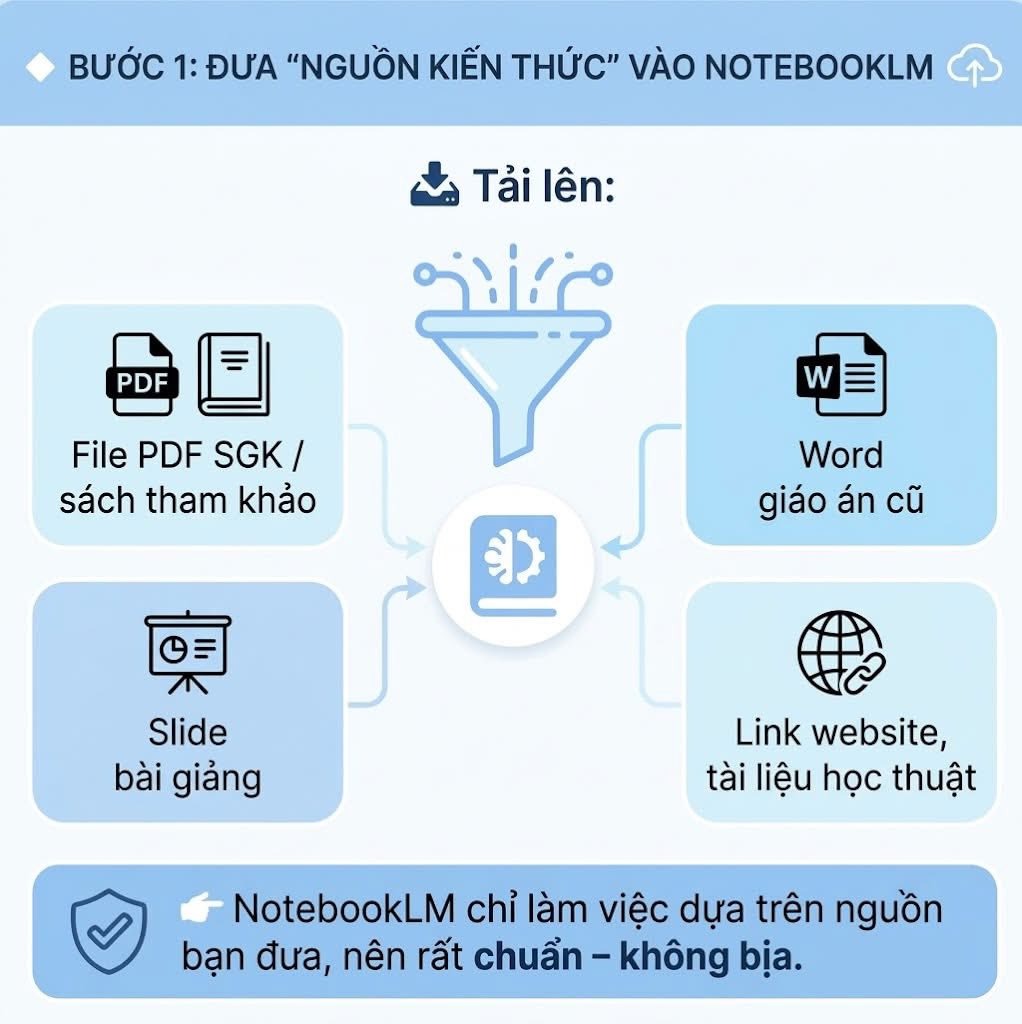
For NotebookLM to function effectively, educators must prepare clear, precise source materials. These can range from a textbook chapter, a research paper, a prior curriculum plan, or curated digital study materials.
This step is arguably the most critical. The quality of the AI output is deeply anchored to the quality of the input. When the provided document is comprehensive and focused, NotebookLM becomes an incredibly precise ally in constructing the lesson.
Step 2: Prompting for a "Teacher-Standard Summary"
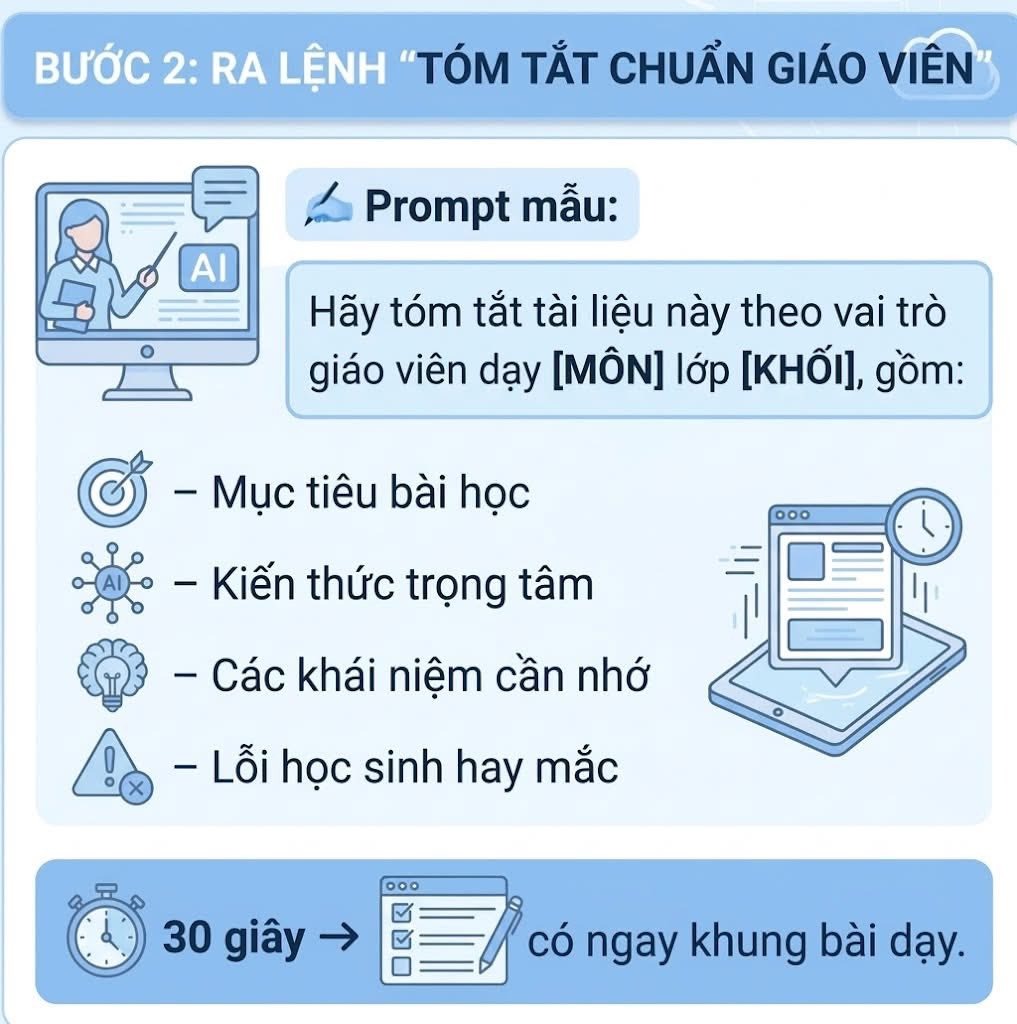
Once the material is processed, a teacher can ask NotebookLM to summarize the content through an instructional lens. You can run a structured prompt requesting:
- The core learning objectives.
- Key knowledge takeaways.
- Crucial concepts to memorize.
- Common student misconceptions or frequent errors.
Within 30 seconds, an educator receives a crystal clear, high-level structural framework, eliminating hours of manual reading and synthesizing. This is an immense advantage for teachers prepping multiple classes under tight deadlines.
Step 3: Transforming Documents into Complete Lesson Plans
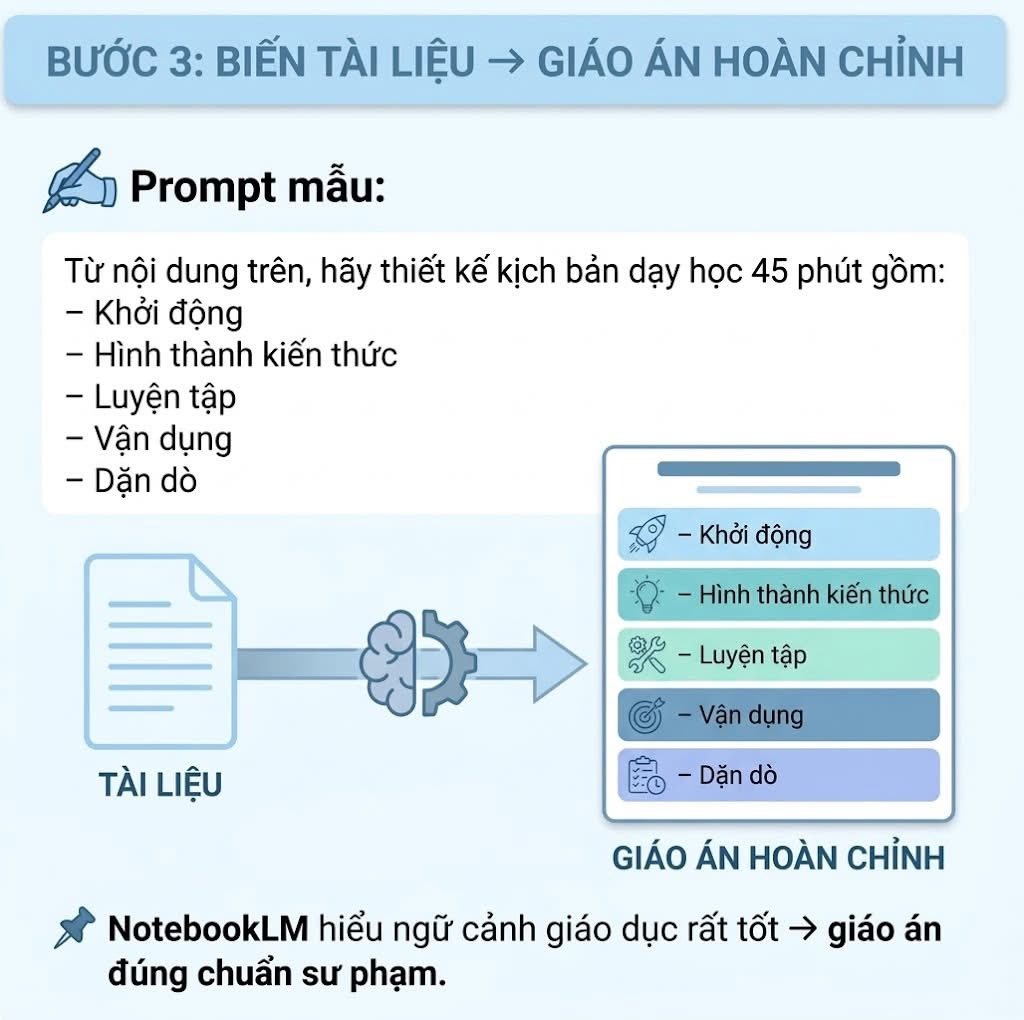
Armed with the summary, the teacher can instruct NotebookLM to build a fully fleshed-out 45-minute lesson script. The plan can easily be structured using traditional pedagogical phases:
- Warm-up / Hook.
- Knowledge Formation (The core lecture).
- Guided Practice.
- Application.
- Review and Assignment.
This cuts the grueling task of drafting plans by magnitudes. It preserves the logical sequencing and educational pacing while turning raw data into a neatly organized, classroom-ready script.
Step 4: Generating Slides, Mind Maps, and Flashcards
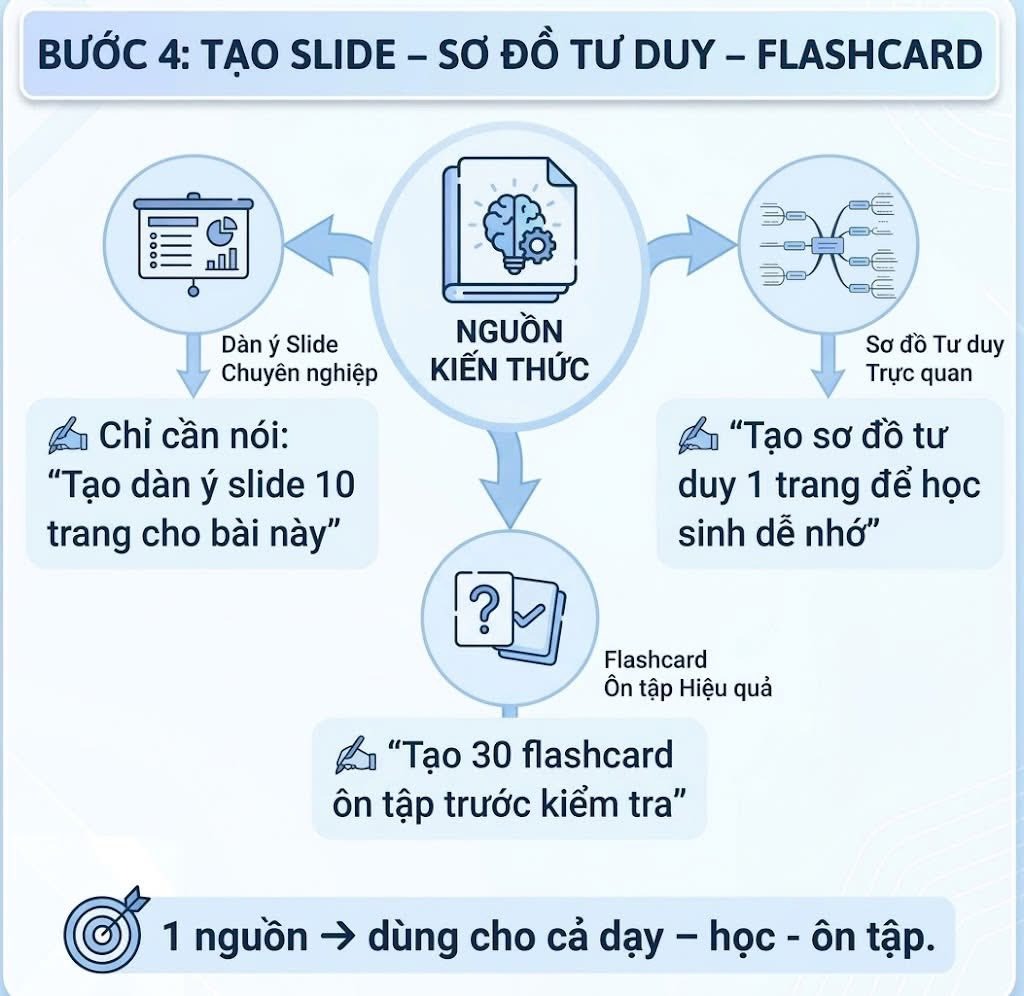
One of the most practical utilities of NotebookLM is its capacity to spin out varied learning aids tailored for teaching, studying, and reviewing. From the exact same source, an educator can command it to:
- Outline a 10-page slidedeck optimized for a presentation.
- Formulate a 1-page visual mind map text structure for easy cognitive mapping.
- Generate 30 flashcards for rapid pre-exam memorization.
This means a singular source file can be morphed into diverse visual and interactive formats, pushing modern pedagogy toward more active, engaging, and multi-format student participation.
Step 5: Generating Quizzes with Answer Keys
NotebookLM is equally formidable at generating assessments. Using the verified source text, teachers can prompt the tool to construct:
- Multiple-choice questions.
- Short essay prompts.
- Answer keys and grading rubrics.
The burden of test creation evaporates. Teachers no longer need to flip through textbooks painstakingly hunting for nuanced details and painstakingly crafting distractors. This feature alone is a lifesaver for 15-minute pop quizzes, continual assessments, and final exam reviews.
3. The Benefits of NotebookLM in the Classroom
Integrating NotebookLM directly into the pedagogical process yields four major advantages:
- Incredible Time Savings: A traditional workflow might demand 2 hours for a lesson plan, 1 hour for slides, and 30 minutes for a test (totaling 3.5 grueling hours). With NotebookLM, this entire life-cycle is compressed into mere minutes.
- Standardization of Quality: Educators can utilize a centralized prompt structure for all their lessons, fundamentally elevating the scientific rigor and consistency across a department.
- Multifaceted Content Generation: Moving beyond plain text, educators can instantly replicate their lessons into Slides, Mind Maps, and Flashcards—catering to multiple intelligences and student learning styles.
- Focus on Core Value: By delegating the repetitive, copy-pasting drudgery, teachers reclaim their energy to focus entirely on instructional delivery, student interaction, and empathetic pedagogy.
4. The Feedback Loop: Thinking Interactively with AI
Despite its sheer analytical power, NotebookLM remains an assistant, not a replacement. The ultimate caliber of the instruction relies entirely on the educator’s professional judgment, source selection, and contextual empathy for the students.
Often, struggles with AI are not due to being "bad at technology," but simply a failure to utilize the interactive feedback loop: Prompt → Generate → Critique → Refine. When educators master this loop, they effectively command NotebookLM as their personal, elite teaching aide!
5. Conclusion
NotebookLM introduces a seismic shift in educational preparation: from a singular raw document, a teacher can instantly extrapolate full-length lesson plans, slides, mind maps, flashcards, and fully graded exams. It does more than just slash working hours; it empowers teachers to organize content in a strictly factual, highly visual, and drastically more effective manner.
In the digital education era, employing NotebookLM isn't just about hopping on an AI bandwagon—it is about transmuting technology into a pedagogical superpower. Deployed correctly, it enables teachers to work smarter, teach more accurately, and adapt faster, thereby fundamentally lifting the quality of modern schooling.