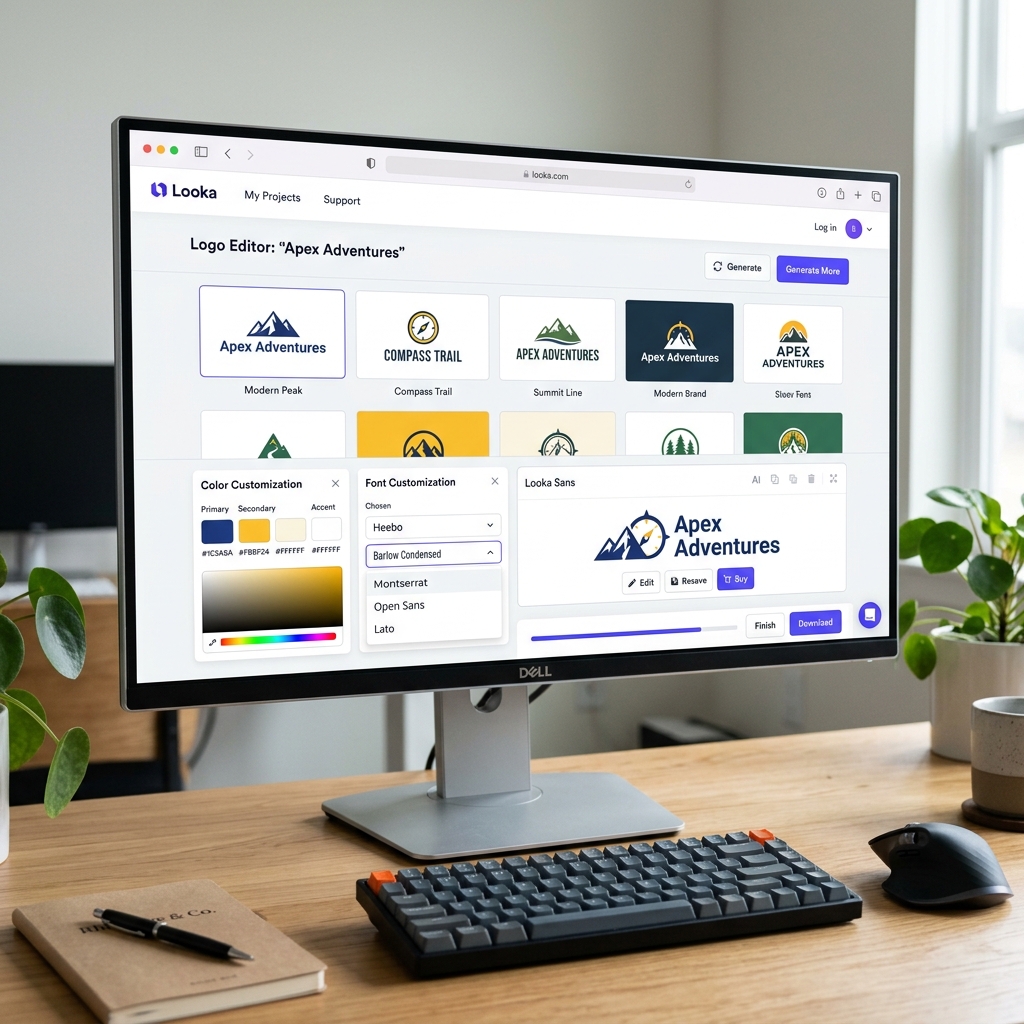
Looka - AI Logo Maker & Brand Identity Platform
1. Introduction to Looka
Looka (formerly known as Logojoy) is an Artificial Intelligence-powered logo creation and branding platform. Instead of emailing back and forth with a freelance designer or spending hours learning professional software, Looka acts as your "Designer in a Pocket," combining machine learning algorithms with millions of graphic design principles established by experts.
The platform doesn't just pump out a single PNG image. Its overarching goal is to provide a complete "Brand Kit"—from logos and business cards to email signatures and even AI-generated starter websites built around the exact color palette of your newly chosen logo.
Core Strengths (USP):
- Hyper-Fast Workflow: Going from zero to 100+ generated logo concepts takes less than three minutes.
- Easy Customization: You are not forced to use the exact AI output. Looka provides a powerful drag-and-drop editor to change spacing, layout, fonts, and colors to your exact liking.
- The Brand Kit Ecosystem: Once you finalize your logo, over 300+ marketing templates (social media posts, invoices, letterheads) are automatically rendered matching your brand's specific hex colors and fonts.
2. Core Features and Practical Use Cases
Looka is primarily targeted at Solopreneurs, startups, and small business owners who need to look professional from day one.
- Startups & Side-Hustles: Quickly generate a highly polished brand identity for a new online bakery, YouTube channel, or mobile app.
- Social Media Commerce: Utilizing the Brand Kit to quickly export Instagram posts and Facebook Covers that perfectly align with your logo, avoiding a mismatched, unprofessional look.
- Agency Brainstorming: Professional graphic designers use Looka to rapidly catch a "mood" and present 5-6 color/layout concepts to clients for approval before investing hours drawing custom vectors in Adobe Illustrator.
3. How to Access and Setup
Looka operates entirely within your web browser.
- Go to looka.com.
- Right on the homepage, insert your company name. You do not need to create an account yet.
- Account registration (via email, Google, or Facebook) is only required at the very end of the process when you decide to Save your project or Pay to download the logo files.
4. Basic Usage Guide
Creating a logo with Looka feels much more like taking a visual preference survey than learning how to design:
- Enter Company Name: Type your brand name into the prompt.
- Select Industry: Type your business sector (e.g., Coffee Shop, Real Estate, Technology). The AI filters appropriate color schemes and symbols for this industry.
- Pick Inspirations: Select 5-7 logos you visually like from a generated list.
- Choose Color Palette: Do you prefer Warm, Cold, or Monochrome color schemes?
- Add a Slogan: (Optional) Add a sub-text tagline beneath your main logo.
- Select Symbols: Search for and pick a few specific icons you want featured (e.g., a coffee bean, a rocket).
- AI Generation: Looka crunches your preferences and generates dozens of variations. Pick the best one and click
Customizeto edit the font, symbol placement, or background color until it's perfect.
5. Best Practices
- Keep Scrolling: Don't just settle for the first result. Looka continuously loads and generates fresh, unique concepts the further down you scroll the page.
- Try Abstract Symbols: Instead of choosing a literal flower for a flower shop, try searching for "Geometric" or abstract shapes. This often results in a much more modern, "Corporate" looking logo.
- Typography Over Icons: Don't cram too many symbols into the design. A beautiful "Wordmark" (Text-only logo) using a highly customized font inside the Looka Editor often holds enough weight to carry a brand entirely on its own.
6. Pricing and Tiers (2026)
Important Note: Looka is 100% FREE to design your logo, but you MUST PAY to download the files to use them.
| Plan | Cost | Output & Best For |
|---|---|---|
| Basic Logo | $20 (One-time) | Receive 1 low-res PNG file. No transparent background. Only viable for tiny personal placeholder projects. |
| Premium Logo | $65 (One-time) | Provides high-res files, Vectors (SVG/EPS), transparent backgrounds, and lifetime technical support to recolor the logo later. Best for one-off professional purchases. |
| Brand Kit Subscription | $96 / yr | Receive the Premium Logo PLUS 300+ customizable marketing templates (business cards, social covers, flyers). Excellent value for growing startups. |
| Brand Kit Web | $129 / yr | Includes the full Brand Kit + an AI-generated starter Website. |
7. Conclusion
If you are strapped for cash or lack the 1-2 weeks required to work with a dedicated design agency, Looka is a phenomenal lifeline.
- Pros: Fast, gorgeous UI/UX, and access to premium typography. The $96/year Brand Kit offers immense marketing value with its 300+ templates. 100% commercial ownership rights are granted upon purchase.
- Cons: Because it's an AI assembling pre-existing fonts and icons, there's always a slight chance your logo may share similarities with another business. The $20 Basic package offers virtually no real-world value due to the lack of transparent files.
Start Designing: Looka