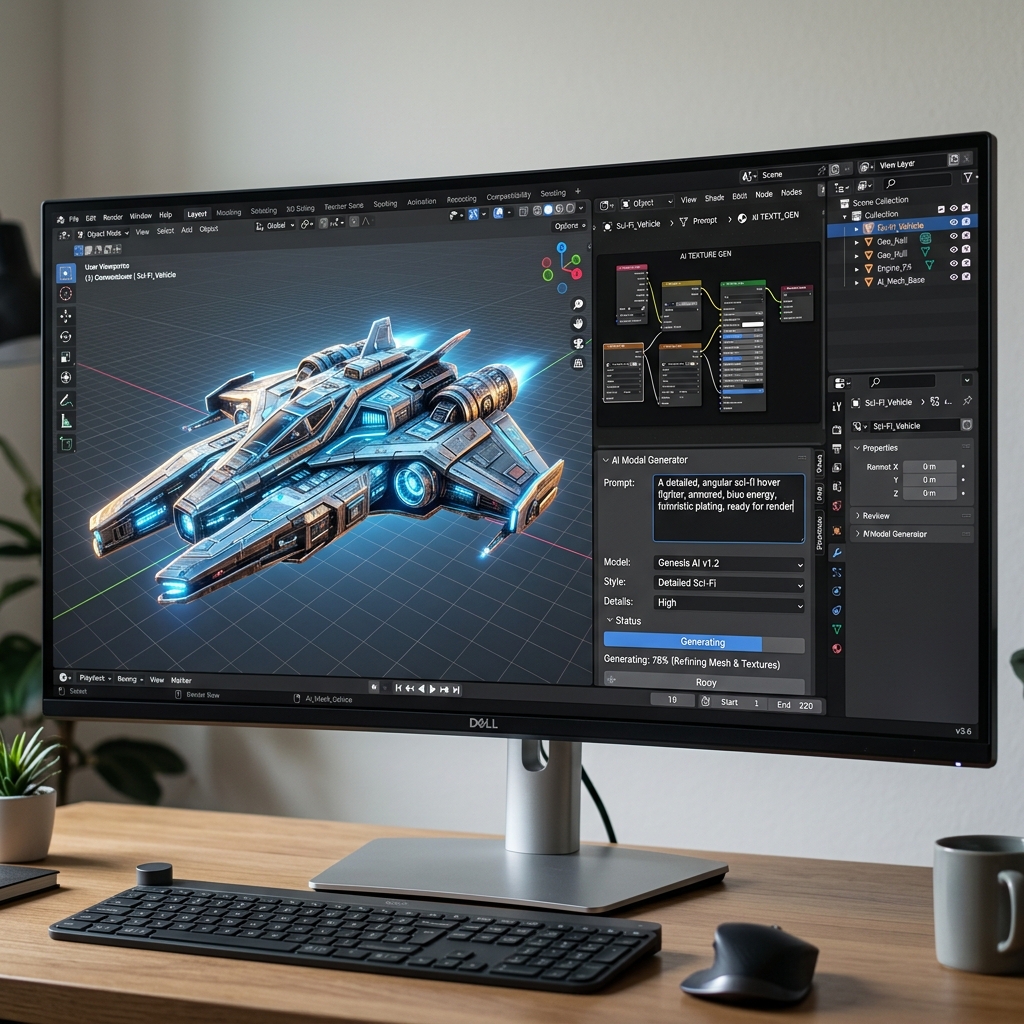
Blender AI Plugins - When Coders Become 3D Artists
1. Introduction: The Agentic 3D Hub in Blender
During the 2023-2024 boom, "Text-to-3D" exploded across web platforms like Meshy and Luma Genie. However, professional VFX artists quickly identified their fatal flaw: dirty topology consisting of "triangle soup" that was impossible to rig or properly animate.
By 2026, the trend has shifted spectacularly toward Agentic Workflows integrated directly into Blender. Instead of an AI "sculpting" an unusable blob, AI now acts as the "software operator." It takes your text prompts and automatically triggers native Modifiers, Geometry Nodes, and executes Python code inside Blender to generate industry-standard quad-based meshes.
Prominent Plugin Categories:
- 3D-Agent / Modeling AI: Prompt "Create a Mid-Century wooden chair," and the AI will spawn base meshes, apply Bevels, and Extrude faces procedurally.
- BlenderGPT: A Sidebar Assistant. It writes Python scripts to automate thousands of repetitive clicks and workflow bottlenecks.
- Dream Textures (Local AI): A plugin that forces Stable Diffusion to run entirely locally on your graphics card, projecting seamless textures directly onto your objects without touching the cloud.
2. Practical Use Cases in Production Pipelines
Combining these plugins accelerates asset production to unimaginable speeds:
- Environment Blockouts: Instead of manually sculpting rocks and trees, ask BlenderGPT to generate a Python script that distributes 1,000 randomized rocks across a terrain using a noise algorithm in seconds.
- Procedural Texturing: Need "scorched dragon skin"? Type a prompt into Dream Textures. It projects the material onto your 3D surface complete with a razor-sharp Normal Map, rather than you spending hours in Substance Painter.
- Automated UV Unwrapping & Retopology: Next-gen Agent AI plugins embed mesh-scanning algorithms that automatically mark Seams and unroll UV maps perfectly without causing frustrating texture stretching.
3. Basic Setup & Usage Guide (BlenderGPT & Dream Textures)
Installing Add-ons in Blender remains a consistent process:
- Download the Plugin's
.zipfile from GitHub or Gumroad. - Open Blender >
Edit>Preferences>Add-ons>Installand select the zip file. - For BlenderGPT: Open the N-Panel. Enter your OpenAI API Key. Type a prompt: "Delete the default cube and spawn a monkey head (Suzanne) with subdivision level 2 and a smooth shade." Hit
Generate, and the open-source Python script executes the command instantly. - For Dream Textures: During setup, the plugin will download local AI models (approx. 2GB - 4GB) to your drive. In the Shader Editor tab, add a
Dream Texturesnode, type the prompt "Seamless worn red brick wall," and you immediately have a premium texture image without paying a dime.
4. Best Practices for Professionals
- Do Not Skip Retopology: Although 2026 plugins have vastly improved procedural modeling via code, they can still occasionally generate messy Boolean intersections. Always attach a
Remeshmodifier or manually clean up the faces before exporting the asset to a Game Engine like Unreal. - Security and Speed: Blender thrives on being offline. Prioritize using Local Add-ons (e.g., Local LLMs run via Ollama or Dream Textures utilizing
.safetensorsfiles on your GPU VRAM). This ensures your unreleased project IP never leaks online, and texture generation is much faster than waiting for a cloud server timeout. - Learn Basic Python: Code assistant LLMs will occasionally generate syntax errors when underlying Blender API functions get updated. Understanding the basic structure of
bpy.opsallows you to quickly debug the AI's generated code without relying on it 100%.
5. Pricing Structure for AI Assistants (2026)
Blender's massive open-source community provides a substantial pricing advantage:
| Plugin Type | Average Cost | Key Characteristics |
|---|---|---|
| Dream Textures | Free (Open-Source) | Runs entirely on your personal GPU (Nvidia/Apple Silicon). No API fees or recurring monthly subscriptions. |
| BlenderGPT/Code Assistants | $0 - $15 (One-time) | You generally pay a one-time fee for the developer's beautifully designed UI/UX integration. However, you must pay your own API usage costs directly to the model provider (e.g., OpenAI/Anthropic) per prompt. |
| Agentic 3D Modeler (Pro) | ~ $10 - $20 / month | Powerful cloud-based modelers that render heavy triangulations on external servers before downloading clean Python/Mesh data back to your client. Often sold as a Cloud Addon Subscription. |
6. Conclusion
AI is not replacing 3D Generalists; it is elevating them into Technical Artists and Workflow Directors.
- Pros: A gargantuan leap in speed for sourcing textures and bypassing tedious manual adjustments. The open-source ecosystem allows you to install dozens of deep-learning tools for free if your machine is powerful enough.
- Cons: Utterly reliant on monumental hardware power (Professional 3D work combined with local AI models often requires an RTX 4070 or Mac M3 Max and 32GB+ of shared RAM to function without crashing).
Start generating: Search for these plugins on GitHub or the Blender Market.