Midjourney Prompt for Bento Grid UI: From Knowing Nothing to Beautiful Results
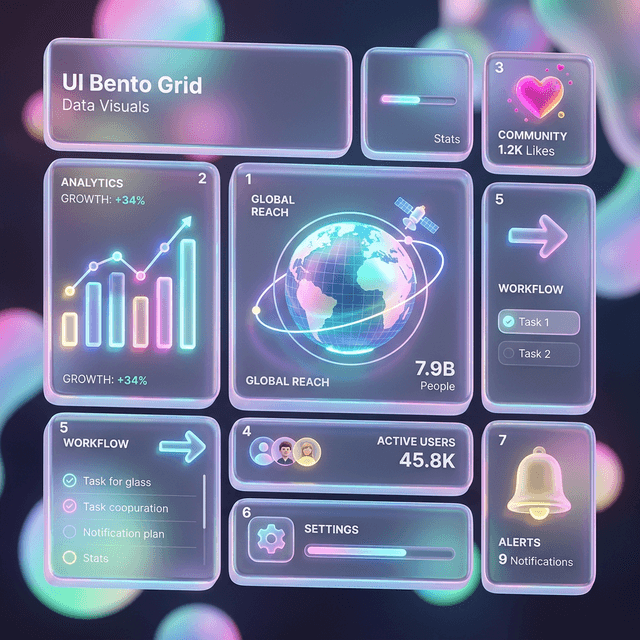
Bento grid is the dominant aesthetic in UI design 2026. This provides tested Midjourney prompts to generate great Bento Grid UI — plus the framework to understand why they work, so you can customize instead of just copying.
Midjourney Prompt for Bento Grid UI: From Knowing Nothing to Beautiful Results
Bento grid — the asymmetric block layout that Apple popularized with the iPhone 14 website — has become one of the most distinctive UI aesthetics of 2026. Combined with glassmorphism and dark mode, it creates the premium look that designers and marketers are after.
This gives you tested prompts and, more importantly, the framework to understand why they work — so you can customize rather than just copy.
📌 TL;DR
Short prompts don't produce great bento grid UI. You need to specify: layout structure + color palette + lighting style + quality reference + aspect ratio.
Base Prompt: Dark Glassmorphism Dashboard
/imagine prompt: premium SaaS dashboard UI design, dark mode, bento grid layout with asymmetric card sizes, deep navy and midnight blue background, glass morphism cards with frosted glass effect, subtle neon blue accent gradients, clean sans-serif typography, data visualization charts, minimal icons, highly detailed, sharp 8k quality, Dribbble shot, Behance portfolio, --ar 16:9 --v 6.1 --style raw --q 2
Expected results: Dashboard with bento cards of varying sizes, glass effect, navy + blue gradient, charts and data visualization.
Prompt Variations: By Use Case
Marketing Landing Page Bento
/imagine prompt: modern marketing website concept, bento grid feature showcase section, light cream and soft white background, warm amber accent colors, rounded corners on all cards, subtle drop shadows, custom illustration style icons, contemporary sans-serif, clean whitespace, professional SaaS feel, Awwwards style, --ar 16:9 --v 6.1 --style raw
Portfolio Bento Grid
/imagine prompt: creative portfolio website layout, bento grid thumbnail grid, dark charcoal background, vivid coral and electric blue accents, oversized typography, image-forward cards with hover state implied, editorial magazine aesthetic, Figma community design, --ar 4:3 --v 6.1 --style raw --q 2
Analytics Dashboard Bento
/imagine prompt: enterprise analytics dashboard, dark mode, bento card layout, teal and purple data visualization, line charts, donut charts, metric cards, KPI badges, minimal clutter, information hierarchy clear, financial app aesthetic, deep background with subtle grid, --ar 16:9 --v 6.1 --style raw
Understanding the Prompt Framework — For Customization
Every good UI Midjourney prompt has 5 components:
1. Layout intent: "bento grid layout", "asymmetric card sizes", "12-column grid"
2. Color palette: More specific is better. "Navy and teal" → good. "Blue" → too vague.
3. Aesthetic style: "glassmorphism", "neumorphism", "flat design", "brutalist"
4. Quality anchors: "Dribbble", "Behance", "Awwwards", "Mobbin design" — Midjourney learns style from these references.
5. Technical parameters: --ar (aspect ratio), --v 6.1 (version), --style raw (less artistic style injection), --q 2 (higher quality)
How to Swap Brand Colors
Replace the color portion of the prompt with your brand palette:
# Original:
"neon blue accent gradients against deep navy background"

# Swap for your brand:
"vibrant coral accent gradients against deep charcoal background"  # red/orange brand
"warm amber gradients against cream white background"              # warm brand
"emerald green accents against dark forest background"             # green brand
3 Common Mistakes
1. Prompt too short. "/imagine prompt: bento grid UI" produces random results, usually not actual UI. Specify the purpose.
2. Not specifying aspect ratio. Midjourney default is 1:1 (square). UI typically needs 16:9 or 4:3.
3. Not using --style raw. Without raw → Midjourney adds artistic style that conflicts with realistic UI design.
From Midjourney Concept to Code
After getting a UI concept from Midjourney, the workflow continues:
- Screenshot the section you want to implement
- Describe to v0.dev: "Create a bento grid dashboard like this image, dark mode, 4 different card sizes"
- v0.dev generates React + Tailwind code
- Customize and refine in Cursor
Related reading:
- Deep dive into Midjourney: Midjourney v6 Mastery
- Turn concept into code: v0.dev — Generate UI from a Prompt
- Generate diverse visual assets: Leonardo AI Review
- Design UI using Claude instead: UI Design with Claude 3.5 Sonnet
- General prompt guide: Prompt Template Guide