The Anatomy of an Excellent AI Image Prompt
What makes a good AI image prompt? Let's dissect the structure of an excellent prompt to understand why it works and how you can replicate its success.
Many people treat writing an AI generation prompt like a lottery: just type a few emotional keywords like "beautiful," "magical," or "cinematic," and pray the AI returns a satisfying result. In reality, professional AI image creators treat prompts more like a technical spec.
Below is a highly regarded prompt designed to create a photorealistic portrait. Let's examine this prompt and dissect why it is so powerful, where its weaknesses lie, and what the "ultimate formula" is to create one yourself.
Unpacking the Sample Prompt
Here is the complete prompt (which was provided alongside 2 reference images):
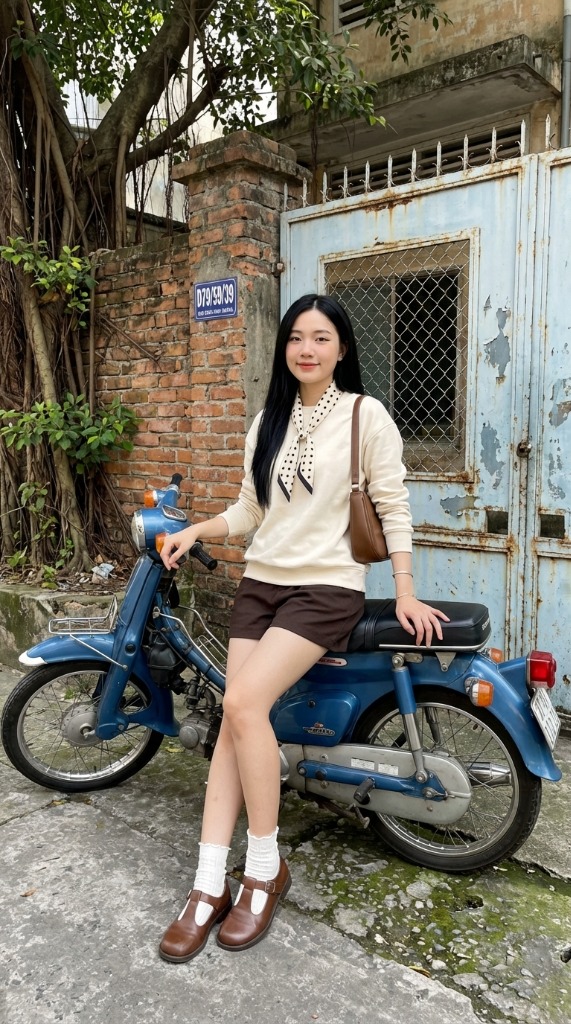
Reference Image #1 (Face & Hair)
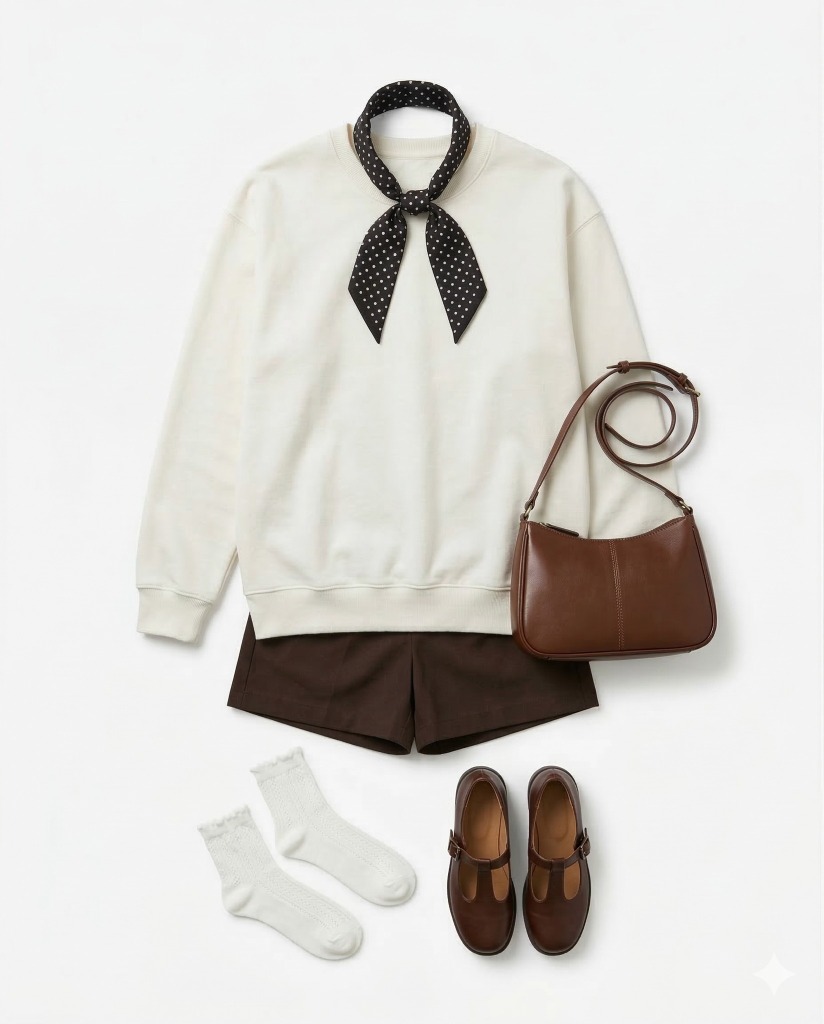
Reference Image #2 (Outfit & Accessories)
Creating the image: Using reference image #1 as a visual guide for the subject's face, maintain a high degree of resemblance to the person in the reference image. Retain key visual features such as facial structure and overall proportions, while allowing for small, natural variations typical of realistic photography. The subject should be sharp, with a face similar to the reference image but still maintaining the natural look of the photograph. A well-proportioned, hourglass figure with a full bust. Long, straight, jet-black hair cascading down the shoulders. Light, youthful Asian-style makeup.
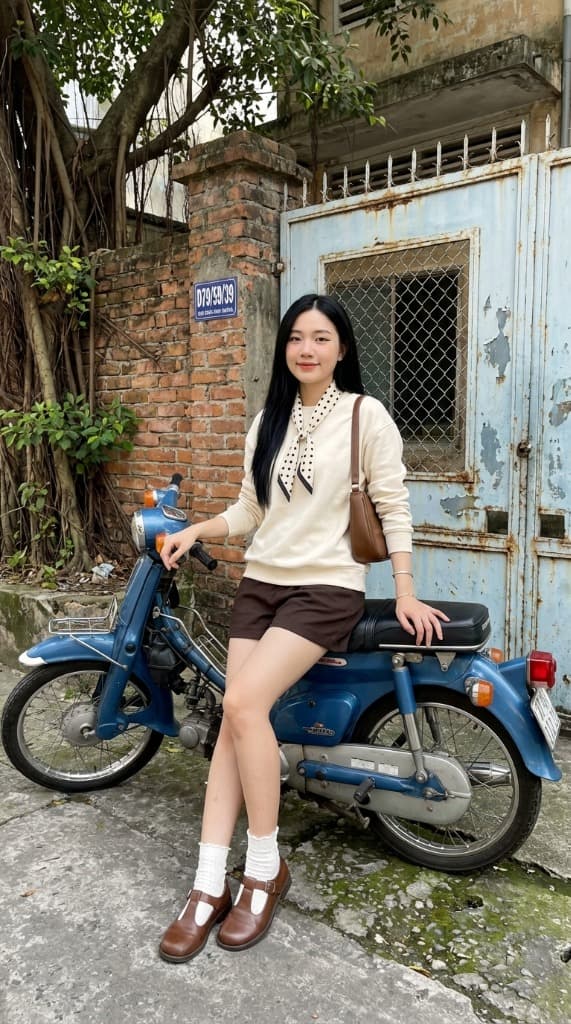
Clothing and accessories: She is wearing the outfit, scarf, and accessories as in reference image #2. A brown shoulder bag is worn on the right shoulder, and a simple silver bracelet adorns the wrist. A surreal, incredibly sharp photograph taken with a modern iPhone 15 Pro, characterized by its digital clarity.
Position: Sitting leaning against the seat of a vintage Honda Super Cup motorcycle, right hand on the handlebars, left hand on the seat, looking towards the camera, with a gentle, playful, and charming smile.
Background (composition locked, consistent across all created photos, cannot be altered or distorted): A large, lush green banyan tree with striking green leaves on the left side of the wall, contrasting with an old, dilapidated light blue/turquoise metal gate on the right, with peeling paint, noticeable rust, and a visible mesh window. A small blue sign with the letters 'D79/59/39' is affixed to the wall, an old brick wall. A vintage blue Honda Super Cup motorcycle is parked in front of the gate. The rough, gray concrete ground with patches of moss is also rendered with remarkable sharpness.
The entire scene is rendered with incredible sharpness and realistic digital texture, clearly showing the pores on smooth, soft skin, the distinct weave of the fabric, and the intricate details of leaves, bricks, and degraded metal surfaces, the old green of the motorcycle, completely free from background blurring or bokeh effects. Brilliant daylight illuminates the composition evenly, typical of HDR on modern smartphones, ensuring dark areas are brightened without being over-dark, and the color palette is natural and realistic throughout, with subtle digital noise reduction adding to the realism.
1. Why is this Prompt so Powerful?
A. It Strictly Separates Information Layers
This prompt doesn't just ask to "draw a beautiful girl sitting on a motorbike." It separates distinct "layers" incredibly clearly:
- Identity / Resemblance: “Using reference image #1… maintain a high degree of resemblance…”
- Physical Appearance: Face, hair, makeup, body frame.
- Clothing & Accessories: Outfit from Reference #2, brown shoulder bag, silver bracelet.
- Pose & Expression: Sitting against the bike, left/right hand positions, looking direction.
- Camera & Quality: Incredibly sharp photograph, iPhone 15 Pro.
- Background / Environment: Left elements, right elements, floor texture.
- Lighting: Brilliant daylight, HDR on modern smartphones.
- Texture & Rendering: Skin pores, peeling paint, moss, absolute sharpness.
- Negative Constraints: “composition locked”, “cannot be altered”, “no bokeh”.
The Key Takeaway: A great prompt is not an emotional descriptive paragraph; it’s a meticulous technical specification.
B. It Prioritizes "Observable" Descriptions
A strong prompt emphasizes things that can be directly seen:
- “right hand on the handlebars”
- “brown shoulder bag on the right shoulder”
- “small blue sign with letters D79/59/39”
- “peeling paint, noticeable rust”
This is excellent because the model can easily build geometry from it. Conversely, descriptions like "very luxurious", "super artistic", or "deep vibe" force the AI to blindly guess your abstract definitions, leading to hit-or-miss outcomes.
C. It Proactively Locks "Fragile" Elements
Image AI models frequently make mistakes on faces, hands, clothing continuity, cluttered backgrounds, or excessive artificial blur (bokeh). This prompt proactively circumvents these issues:
- “maintain a high degree of resemblance”
- “composition locked... cannot be altered or distorted”
- “completely free from background blurring or bokeh effects”
The writer knew where the model tends to hallucinate and clamped it down from the start.
D. Logical Flow of Information
The sequence flows beautifully: Who -> Looks like what -> Wearing what -> Posing how -> Located where -> Lighting -> Camera Quality -> Absolute prohibitions. This order helps the AI's attention mechanism prioritize scene building from macro to micro properly.
E. Consistent Aesthetic
The prompt rigidly adheres to one unified concept: "Photorealistic Smartphone Snapshot" (Daylight HDR, authentic textures, zero bokeh). It avoids contradictory mixing like asking for "cinematic film grain" alongside "iPhone HDR" and a "dreamy soft focus." Many bad prompts fail because they fuse clashing aesthetics.
2. Weaknesses of this Prompt (Room for Optimization)
Despite being fantastic, it has a few areas that could be tightened up:
- Redundancy / Repetition: The words "sharp / incredibly sharp / remarkable sharpness / realistic" are heavily repeated. Intentional repetition emphasizes weight, but doing it excessively clutters the prompt and can cause the AI to over-process the image.
- Contradictory Pairings: Combining "surreal" with an expectation for a "realistic digital photo" is a paradox. Furthermore, pairing "incredibly sharp" with "smooth, soft skin" can sometimes result in an unnatural, waxy "plastic skin" effect on certain models.
- Overly Explicit Body Details: Requests like "full bust" or "hourglass figure" dive deep into specific anatomy profiles and might inadvertently trigger the NSFW filters on stricter engines. This level of bodily detail is often unnecessary if the goal is simply a beautiful lifestyle photo.
3. The 9-Part Framework for Prompt Mastery
You can build your own top-tier prompts by assembling these 9 puzzle pieces:
- Subject Identity: Who is it? Is there an image reference? (e.g., Use ref #1 for face, lock bone structure.)
- Physical Appearance: Body type, hair color, distinct makeup. Stick strictly to major recognizable features.
- Outfit & Accessories: Specific garments, bags, jewelry. Detailed object descriptions prevent the AI from generating chaotic clothing mashups.
- Pose & Expression: Sitting doing what, right hand placement, left arm position, gaze direction. Never let the AI improvise hands freely.
- Environment (Layout): Structure the background spatially: Left side, right side, far background, floor texture.
- Camera & Framing: Full-body, half-body, eye-level, low-angle.
- Lighting: The key to professional results. Golden hour, overcast daylight, neon rim lighting?
- Texture & Rendering: Shot on what device? Fabric detail, skin pores, rust, grain, 8K...
- Negative Constraints: No bokeh, no artificial blur, no painterly or 3D cartoon aesthetics.
4. Short-Form Template (Save to Notion)
Think of prompt writing as typing out a creative brief for a human Art Director and Stylist. Here is a cleaner, optimized template that reduces word noise while retaining maximum power:
[Quick Template]
Use reference image #1 as the facial reference. Maintain a strong, natural resemblance in facial structure, proportions, and overall appearance, while preserving the realism of a genuine photograph.
Subject: [Body frame / Hair / Makeup / Expression]
Clothing and accessories: [Main Outfit / Specific Left/Right Accessories]
Pose and expression: [Body stance / Left hand doing X / Right hand doing Y / Looking at Z]
Background: The background composition is locked. [Left side details] + [Right side details] + [Foreground elements] + [Props].
Image style: A highly realistic, ultra-detailed photograph captured on [Camera/Device]. [Lighting Setup]. The whole image is sharp from foreground to background, with no bokeh and no background blur. [Specific texture focus]. Colors should be natural and realistic, with subtle digital processing.
5. Preflight Checklist
Before hitting "Generate", ask yourself these 8 questions:
- Who is the subject unmistakably?
- What must strictly match the reference image?
- Is the clothing material/color definitively locked?
- Are the hands, legs, and facial directions explicitly stated?
- Does the background have a structured left/right/center layout?
- Is the camera angle and framing unified?
- Is the lighting setup precisely described?
- Have I explicitly restricted the things I DO NOT want?
If any of these are vague, your resulting image will simply rely on luck. Follow this order: Who / Wearing what / Posing how / Where / Lighting / Camera Look / Constraints, and your outputs on Midjourney, Stable Diffusion, or DALL-E will permanently level up!