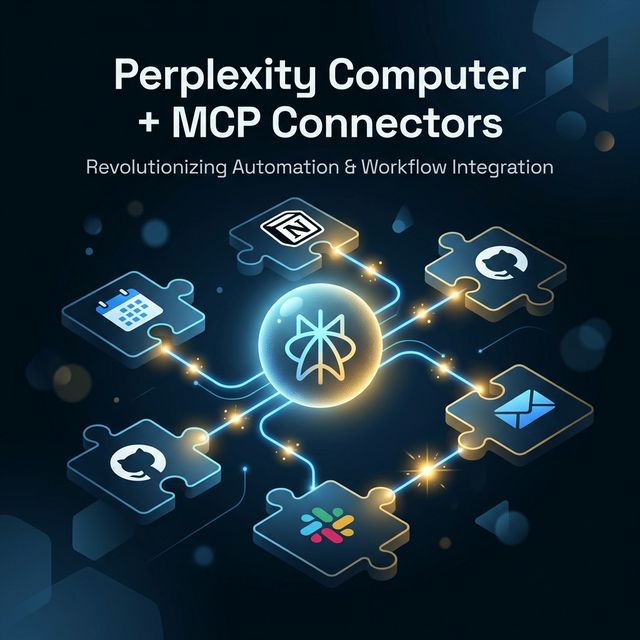
Perplexity Computer + MCP Connectors: How to Build Repeatable AI Workflows with Custom Skills
Perplexity Computer combined with Model Context Protocol (MCP) connectors opens up a new way to automate complex workflows: connecting CRM, Notion, GitHub, and Slack into one AI agent. This guide walks through building a custom MCP connector and creating a repeatable workflow template for your team.
Perplexity Computer + MCP — The Big Picture
Perplexity Computer isn't just another AI chat interface. It's designed as an autonomous AI agent capable of executing multi-step tasks end-to-end — with memory, file access, web access, and most importantly: connectors to external tools.
The real unlock is Model Context Protocol (MCP) custom connectors — letting you wire Perplexity Computer into almost any internal system you already run.
What Is Perplexity Computer? (Precisely)
Perplexity Computer is available for Pro, Max, and Enterprise subscribers. It provides:
- Persistent memory — remembers context across sessions
- File access — reads and writes files in your workspace
- Web access — searches and reads real-time data
- Prebuilt skills — calendar, email, task management
- Prebuilt connectors — Calendar, Notion, Linear, GitHub (verified)
- Custom MCP connectors — connect any internal tool via MCP protocol
Two Types of Connectors — Important Distinction
Prebuilt Connectors
Ready-made connectors Perplexity built for popular tools:
- Google Calendar, Notion, Linear, GitHub, Slack, email
→ Just authorize and use. No code required.
Custom MCP Connectors
You build an MCP server endpoint → expose it → Perplexity Computer connects to it.
→ Requires code, but connects to any internal API.
Custom connector use cases:
- Internal CRM without a prebuilt connector
- Proprietary database
- Custom analytics pipeline
- Internal ticketing or project management system
How MCP Works
MCP (Model Context Protocol) is an open standard — often described as "USB-C for AI". It standardizes how AI models interact with external systems.
Conceptual model:
User Prompt
    ↓
Perplexity Computer (AI Brain)
    ↓
Intent Detection: "Need data from CRM"
    ↓
MCP Protocol Call → CRM MCP Server
    ↓
CRM Server → Query → Return Data
    ↓
Perplexity processes + responds
Authentication options:
- OAuth 2.0 — for user-facing tools (GitHub, Calendar)
- API Key — for internal services
- Service Account — for enterprise setups
End-to-End Workflow Example: Weekly Pipeline Report
Real workflow: Generate weekly pipeline summary from CRM + post to Slack.
Manual process:
- Open CRM → filter deals → export CSV → 15 min
- Aggregate numbers in spreadsheet → 20 min
- Write summary → 10 min
- Copy-paste to Slack → 5 min → 50 minutes/week
With Perplexity Computer + MCP:
Prompt: "Generate this week's pipeline report:
- Get deals from CRM closing this month
- Calculate total pipeline value by stage
- Compare to last week
- Post summary to #sales-updates Slack channel"
→ 2 minutes (prompt + review + approve)
Implementation: Building a Custom MCP Connector
Step 1: Stand Up an MCP Server Endpoint
An MCP server is an HTTP server that exposes "tools" for the AI agent. Basic structure with Python:
# mcp_server/crm_connector.py
from mcp import MCPServer, Tool, ToolResult
from pydantic import BaseModel

class DealFilter(BaseModel):
    stage: str | None = None
    closing_this_month: bool = False
    min_value: float | None = None

class CRMConnector(MCPServer):
    name = "crm-connector"
    description = "Access internal CRM deals and pipeline data"

    @Tool(
        name="get_deals",
        description="Get deals from CRM with optional filters",
        input_schema=DealFilter
    )
    async def get_deals(self, params: DealFilter) -> ToolResult:
        deals = await self.crm_client.fetch_deals(
            stage=params.stage,
            closing_this_month=params.closing_this_month,
            min_value=params.min_value
        )
        return ToolResult(content=deals)

    @Tool(
        name="get_pipeline_summary",
        description="Get aggregated pipeline metrics by stage"
    )
    async def get_pipeline_summary(self) -> ToolResult:
        summary = await self.crm_client.get_pipeline_metrics()
        return ToolResult(content=summary)

if __name__ == "__main__":
    server = CRMConnector()
    server.run(host="0.0.0.0", port=8080)
Step 2: Design Schemas and Actions
Best practice: one action = one clear responsibility. Avoid "do_everything" tools.
# Tools needed for the pipeline workflow:
tools = [
    "get_deals",            # Fetch deals with filters
    "get_pipeline_summary", # Aggregate metrics
    "compare_to_period",    # Compare to previous week/month
    "format_report",        # Format output for readability
]

# Each tool needs:
# - name: snake_case, describes the function
# - description: AI uses this to decide when to call the tool
# - input_schema: Pydantic model validates input
# - output: ToolResult with JSON/text content
Step 3: Deploy and Test
# Local development
uvicorn mcp_server.crm_connector:app --port 8080

# Test tool call
curl -X POST http://localhost:8080/tools/call \
  -H "Content-Type: application/json" \
  -d '{"tool": "get_deals", "params": {"closing_this_month": true}}'

# Expose public endpoint (ngrok for dev, real deployment for prod)
ngrok http 8080
Step 4: Connect to Perplexity Computer
In Perplexity Settings → Connectors → Add Custom Connector:
{
  "name": "Internal CRM",
  "description": "Access company CRM for pipeline data",
  "endpoint": "https://your-mcp-server.company.com",
  "auth": {
    "type": "api_key",
    "header": "X-API-Key"
  }
}
Operational Considerations
Permissions & Audit Logs
@middleware
async def audit_log(request, call_next):
    log_entry = {
        "timestamp": datetime.utcnow().isoformat(),
        "tool": request.path,
        "user": request.headers.get("X-User-ID"),
        "params": await request.json(),
        "ip": request.client.host
    }
    await audit_logger.log(log_entry)
    response = await call_next(request)
    return response
Data Retention & Privacy
- Don't log sensitive data (deal values, customer names) in plain text
- Mask PII in audit logs
- Set expiry for cached results (how stale is too stale for CRM data?)
- GDPR/SOC2: Review data processing agreement — your internal CRM data flows through Perplexity's infrastructure
Rate Limits & Monitoring
from slowapi import Limiter

limiter = Limiter(key_func=get_remote_address)

@app.route("/tools/call")
@limiter.limit("100/minute")  # Adjust based on your capacity
async def handle_tool_call(request):
    ...
Who Should Adopt Now? Who Should Wait?
✅ Adopt Now — Good Fit
- Your team has stable internal APIs (CRM, ERP, analytics)
- You have recurring reports that cost significant manual time today
- Ops or marketing teams who want automation without learning to code
- Already using Perplexity Pro, Max, or Enterprise
⏳ Wait — If
- Internal APIs aren't stable (frequent breaking changes will break your MCP server)
- Data source is unclear — "where will the AI get data?" doesn't have a clear answer yet
- Compliance isn't resolved — can your data be sent to an external service?
- No one on the team can maintain a MCP server
Repeatable Workflow Template
[WEEKLY PIPELINE REPORT — TEMPLATE]

Generate this week's pipeline report:

Data to pull:
- All deals in CRM with closing_date THIS month
- Group by stage: Prospecting / Qualified / Proposal / Negotiation / Closed Won
- Include: deal name, value, owner, last activity date

Metrics to calculate:
- Total pipeline value
- Value by stage
- Week-over-week change (compare to same report last [DAY])
- Deals added this week vs last week

Format output as:
## Pipeline Summary — Week of [DATE]
[structured markdown table]

After generating report:
1. Post to #sales-weekly Slack channel
2. Save copy to Notion > Sales > Weekly Reports > [DATE]

Flag any deals with no activity in 14+ days.
Conclusion
Perplexity Computer + MCP connectors is a genuinely powerful combination for teams that want to automate cross-tool workflows. The key insight is that MCP provides a standardized bridge between AI and internal systems — you build one MCP server per data source, and Perplexity can use it across any workflow.
Real investment: 2-4 hours to build a basic MCP server. After that, a 50-minute manual workflow → 2 minutes with AI.
CTA: Pick one recurring internal report and convert it to a Perplexity Computer workflow. Start with prebuilt connectors (Calendar, Notion, Slack) — no code required. See the value first. Then expand to custom connectors for your internal APIs.