Google AI Studio's Full-Stack Vibe Coding: How Antigravity + Firebase Turn Prompts Into Real Apps
Google upgraded AI Studio into a full-stack vibe coding platform, combining the Antigravity coding agent with Firebase for auth and database. This breakdown covers the new workflow, key features (Secrets Manager, Next.js, multiplayer), comparison with Cursor/Replit/Lovable, and who should try it.
Google AI Studio Is No Longer Just a Playground
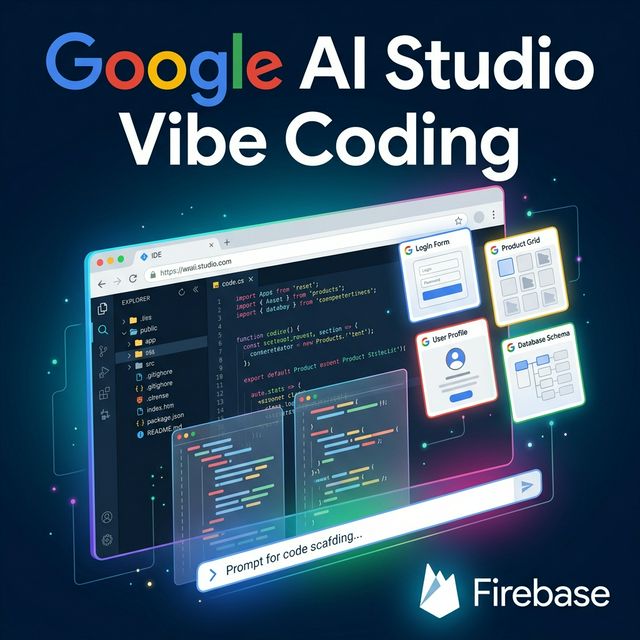
Google just upgraded AI Studio from a lightweight prompt playground into a full-stack application building platform. This update combines three things builders care about: the Antigravity coding agent, Firebase integration for backend services, and real app scaffolding that's actually deployable.
This isn't "copy the generated code and set things up yourself" — it's prompt → running app → with auth → with database → ready to deploy. All inside a single browser tab.
What Google Actually Launched
From the official Google blog:
Antigravity — The New Coding Agent
Google Antigravity is a coding agent integrated directly into AI Studio. It maintains deep understanding of your project structure and chat history:
"The agent now maintains a deeper understanding of your entire project structure and chat history, enabling faster iteration and more precise multi-step code edits."
Firebase Integration — Automatic Auth & Database
When your app needs a database or login, the agent proactively detects it and suggests Firebase integration. After you approve:
- Cloud Firestore gets provisioned for your database
- Firebase Authentication sets up sign-in with Google
- Zero manual configuration required
Secrets Manager
API credentials (Maps, payment processors, third-party services) are securely stored in Settings → Secrets Manager. The agent detects when a key is needed and prompts you to add it.
Framework Support
- React (default)
- Angular
- Next.js (newly added)
Persistent Sessions
Close the tab, come back later — the app remembers exactly where you stopped. Works across devices and sessions.
Modern Web Tooling
The agent automatically installs needed packages — Framer Motion for animations, Shadcn for UI components, Three.js for 3D — without explicit instructions.
The New Workflow: Prompt to Complete App
- Describe your app — Type a prompt describing what you want to build
- Agent scaffolds — Antigravity picks the right framework, libraries, and project structure
- Firebase integration — When auth/database is needed, the agent proposes Firebase → you approve → auto-provisioned
- API Keys — Need Google Maps, Stripe, or external services? Add keys to Secrets Manager
- Iterate — Continue conversing with the agent to refine features and UI. Sessions persist
- Deploy — One-click deployment to Google Antigravity hosting coming soon
Real Use Cases
Google shared example apps in the blog post:
| App | Description |
|---|---|
| Neon Arena | First-person multiplayer laser tag game with real-time leaderboard |
| Cosmic Flow | Collaborative 3D particle experience with real-time syncing |
| Neon Claw | 3D claw machine with physics engine, timer, and leaderboard |
| GeoSeeker | App using Google Maps API with live data |
| Heirloom Recipes | Recipe catalog with AI generation + family collaboration |
Internally, Google has built hundreds of thousands of apps with this system over the past few months.
Comparison With Other Vibe-Coding Platforms
| Criteria | Google AI Studio | Cursor | Replit | Lovable/Bolt |
|---|---|---|---|---|
| Type | Browser app builder | IDE agent | Cloud IDE | No-code builder |
| Built-in backend | ✅ Firebase (auth + DB) | ❌ Self setup | ✅ Replit DB | Varies |
| Framework support | React, Angular, Next.js | Any | Any | Limited |
| Secrets management | ✅ Built-in | ❌ No | ✅ Yes | ❌ No |
| Persistent sessions | ✅ Cross-device | ✅ (workspace) | ✅ | ✅ |
| Codebase understanding | ✅ Project + chat | ✅ Full repo | Limited | Limited |
| Best for | Rapid MVP/prototype | Professional dev | Learning/prototype | Non-coders |
Google's unique edge: The combination of model access (Gemini) + backend auto-provision (Firebase) + framework flexibility (React/Angular/Next.js) in a single workflow. No other tool offers this exact combo.
Strengths
- ✅ Extremely low friction for full-stack prototyping
- ✅ Firebase auto-provision — auth + database in seconds
- ✅ Modern web tooling integration (Framer Motion, Shadcn, Three.js)
- ✅ Persistent work sessions across devices
- ✅ Easy onboarding for builders without backend expertise
Limitations to Test
- ❓ Code quality over repeated edits — does generated code "drift"?
- ❓ Architecture control — can you choose the structure?
- ❓ Firebase lock-in — how portable is the project outside Google's ecosystem?
- ❓ Debugging — error traces, console, breakpoints?
- ❓ Collaboration — can multiple people work on the same project?
Who Should Try It?
✅ Try it now if:
- You're an indie hacker wanting to validate an idea fast
- Small team needs an MVP with auth + database in 1-2 days
- You want to build internal tools (dashboards, admin panels) without backend setup
- You're already in the Google ecosystem (Firebase, Maps, Cloud)
⏳ Probably fine to wait if:
- You have a professional workflow with Cursor/VS Code + custom backend
- Your project needs complex architecture (microservices, custom DB schema)
- You need full control over code output and deployment pipeline
Conclusion
Google is transforming AI Studio from "a place to test prompts" into "a place to build apps". Antigravity agent + Firebase auto-provision is a pragmatic combo for rapid prototyping.
The most important signal isn't "AI writes code" — it's that Google is packaging the entire path from prompt → auth → database → deploy into one seamless workflow. This is a strategic move in the coding-agent platform race.
Try it now: Go to Google AI Studio, build a simple internal tool with auth + Firestore, and compare the time against your current workflow.